How to Disable COD on Shopify by PIN Code, Product or Order Value
Shopify can't hide Cash on Delivery for some orders by itself. Which COD rules cut RTO, how to set them up, and how to keep blocked buyers.
 WALoops team
calendar_month
schedule5 min read
WALoops team
calendar_month
schedule5 min read
In this guide
- Shopify's Cash on Delivery is on for every order or off for every order. There is no built-in setting to hide it for some PIN codes, products or cart values.
- COD rule apps hide the COD payment method at checkout with a Shopify Function, so the rules hold even on Shopify's own checkout page.
- The rules that pay off for Indian stores: high-RTO PIN codes, very large or very small carts, fragile or custom products, repeat refusers and, for some stores, first-time buyers.
- Turning COD off is a blunt tool. Where you can, offer partial COD or a prepaid incentive instead, so the buyer still has a way to order.
Most RTO doesn't come evenly from every order. It clusters: a few PIN codes where parcels keep coming back, a few products that get ordered on impulse, a few phone numbers that have refused before. Hiding Cash on Delivery for just those orders cuts returns without taking COD away from the buyers who pay. This guide shows which rules to set and how to set them on Shopify.
Can you disable COD for some orders in Shopify?
Not with Shopify's own settings. Cash on Delivery is a manual payment method under Settings → Payments, and it is shown to every buyer who reaches the payment step. Shopify does let apps change which payment methods appear, through a type of Shopify Function called a payment customization. That is how COD rule apps work: they look at the cart, the address and the buyer, and remove COD from the list when a rule matches.
Which COD rules to set
| Rule | Use it for | Example |
|---|---|---|
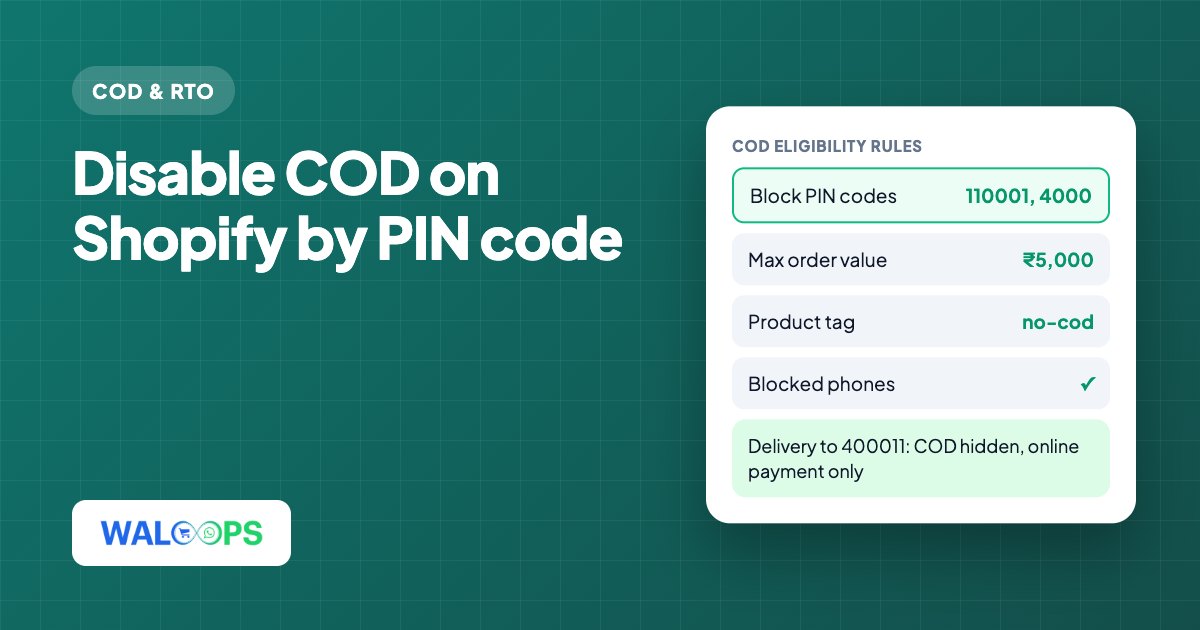
| Block PIN codes | Areas where your courier data shows high refusals, or where COD isn't serviceable | 110001, 4000 (a short entry blocks every PIN code that starts with it) |
| Only allow these PIN codes | Stores that offer COD only in their own city or a few zones | 560, 5600 |
| Maximum order value | Carts where one refusal costs too much | No COD above ₹5,000 |
| Minimum order value | Carts where the shipping and COD charge eat the margin | No COD below ₹299 |
| Product types or tags | Fragile, bulky, custom-made or easily returned items | Tag products no-cod |
| Phone numbers | Buyers who refused parcels before | Last 10 digits compared, so +91 or 0 in front doesn't matter |
| First-time buyers | Stores with very high RTO on new customers | COD only after one order has been placed |
Finding your risky PIN codes
Don't guess. Export your delivered and RTO orders from your courier panel or Shopify for the last three months and group them by PIN code. Look for PIN codes with at least 10 COD orders and an RTO rate well above your store's average. Start by blocking those exact PIN codes. Block a whole prefix (the first three or four digits) only when the pattern holds across the area.
First-time buyers: use with care
Blocking COD for new customers is the strongest rule and the one that costs the most sales, because most of your buyers are new. It suits stores with high order values or very high RTO. For everyone else, phone OTP before the order and a WhatsApp confirmation after it remove most fake orders while keeping COD open. See COD OTP verification on Shopify.
Set up COD rules on Shopify step by step
These steps use the WALoops Shopify app, COD Checkout & Sales. COD rules are on the Free plan.
- Turn on Cash on Delivery in Shopify. In Shopify admin, open Settings → Payments and activate Cash on Delivery.
- Open the COD tab in the app and switch on Turn on Cash on Delivery.
- Switch on COD eligibility rules. Leave everything blank to offer COD to everyone, then fill in only the rules you need.
- Add your rules. Order value limits, blocked or allowed PIN codes (comma separated), product types, product tags, blocked phone numbers, and the first-time buyer switch. Product types and tags can be picked from your store's own list.
- Save and test. Place a test order to a blocked PIN code and check that only online payment is offered, then one to a normal PIN code and check that COD is back.
The first-time buyer rule checks the buyer's earlier orders on your store by phone number or email. The product rules apply when any item in the cart matches, so one fragile item in a mixed cart is enough to switch COD off.
Give blocked buyers another way to order
When COD disappears, some buyers will pay online and some will leave. Three things keep more of them:
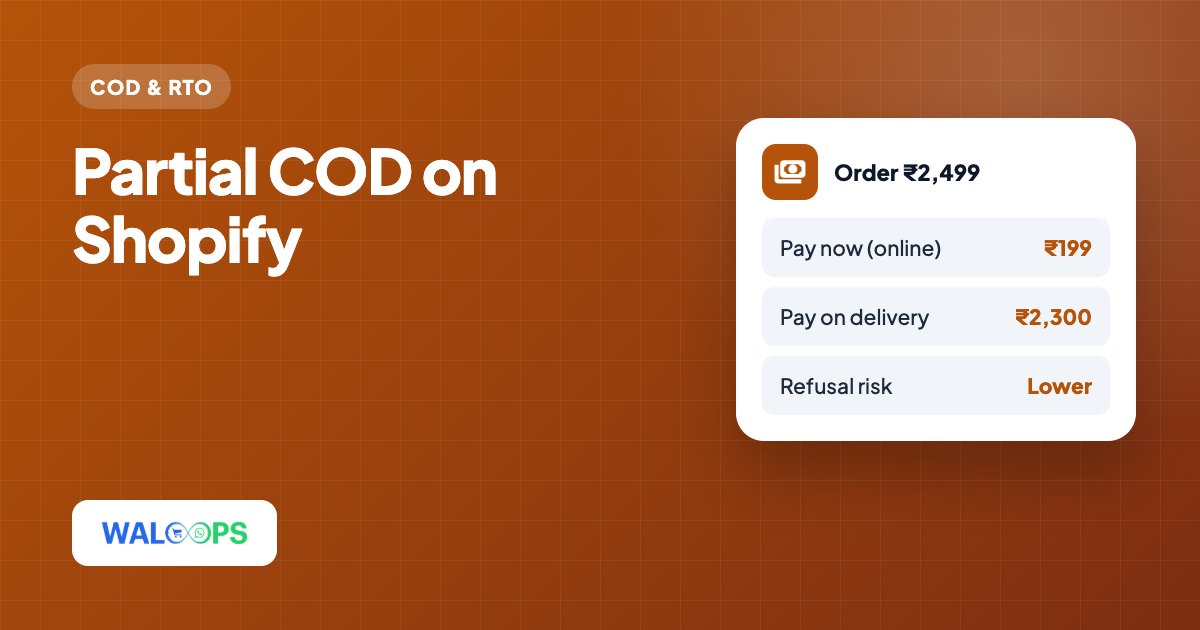
- Offer partial COD instead. The buyer pays a small advance online and the rest on delivery. In the WALoops app, the COD rules apply to Cash on Delivery only; partial COD has its own rules. So you can block full COD on a risky PIN code and still offer partial COD there.
- Give a reason to pay online. A prepaid discount or free shipping on prepaid turns "you can't have COD" into "pay online and save". The COD to prepaid guide covers how much to offer.
- Say it on your policy page. A line in your shipping or FAQ page, such as "Cash on Delivery isn't available for orders above ₹5,000 or for some PIN codes", stops the same question reaching your support inbox.
Mistakes to avoid
- Blocking big areas on a hunch. Blocking all of a state because of a few returns loses many good orders. Use your own order data.
- Setting rules once and forgetting them. Courier performance changes. Review the list every month and remove PIN codes that have improved.
- Stacking every rule at once. Add one rule, wait two weeks, and compare RTO and conversion. Otherwise you can't tell which rule helped and which one cost sales.
- Forgetting confirmation. Rules stop the riskiest orders before they're placed. Confirming every COD order on WhatsApp before you ship catches most of the rest.
COD rules are step 2 in our guide to reducing COD RTO on Shopify. To charge for COD rather than block it, see how to add COD charges on Shopify.