Is Instagram Auto DM Safe? Meta's Rules and How to Avoid a Ban
What Meta allows for automated Instagram DMs, why password-based bots get accounts in trouble, and a checklist to auto DM safely.
 WALoops team
calendar_month
schedule3 min read
In this guide
- Auto DM is safe when the tool uses the official Instagram API, which Meta approves for exactly this.
- Risky tools ask for your Instagram password or run a browser bot. Those can get your account limited or disabled.
- Instagram's rules: one private reply per comment, replies within 24 hours of the person's last message, and limits on how fast an account can send.
- Spammy behaviour is what gets flagged: identical replies, DMing people who didn't ask, and links that don't match the promise.
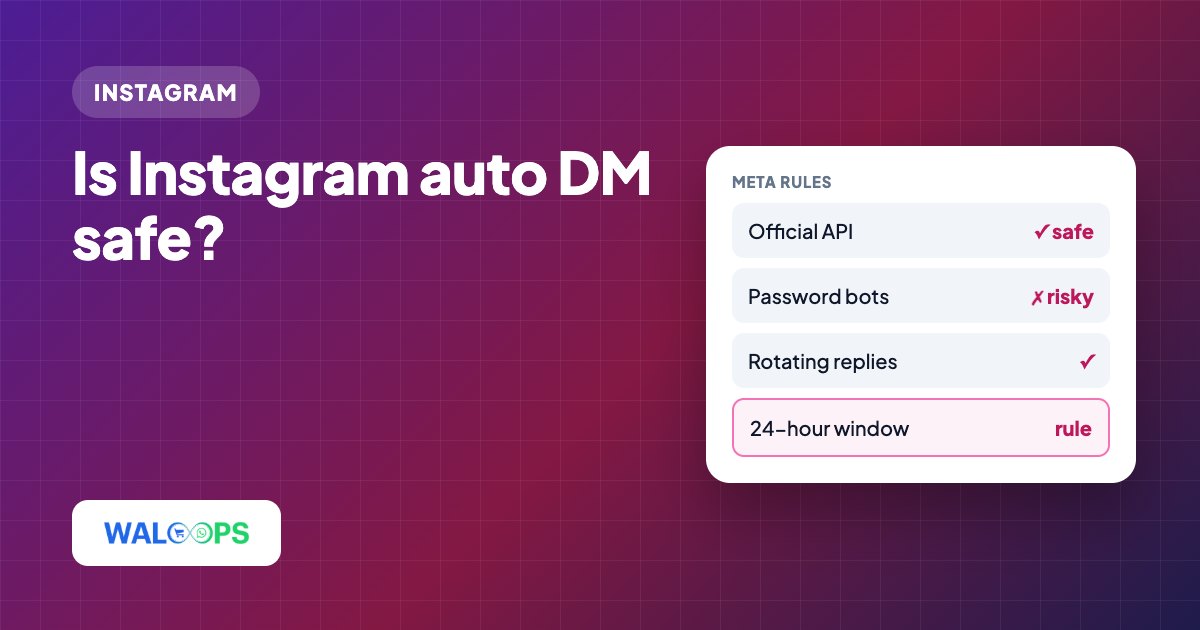
Yes—Instagram auto-DM is safe when the tool uses the official Instagram API and follows Meta's messaging rules. Meta allows one private reply per comment, replies within 24 hours of a person's last message, and limits on sending volume. Password-based tools and browser bots can put your account at risk.
Should I use Instagram's official API or a bot?
Use a tool that connects through Instagram's official login and API; avoid password-based tools and browser bots.
| Official Instagram API | Password or browser bot | |
|---|---|---|
| How you connect | On Instagram's own login page | You type your password into the tool |
| Approved by Meta | Yes, the tool passes Meta's app review | No |
| What it can do | Only what Meta allows: replies, DMs, comment moderation | Anything a person can, which is the problem |
| Risk to your account | Low when used within the rules | High: login alerts, limits, disabled accounts |
| Removing access | Instagram → Settings → Apps and websites | Change your password and hope |
What rules apply to Instagram automated DMs?
Instagram allows automated DMs for Professional accounts, with limits on private replies per comment, response timing, and sending volume.
- Professional accounts only. Business or Creator accounts can use messaging tools. Switching is free.
- One private reply per comment. A business can send one DM in reply to a comment, even to someone who never messaged it. More messages need the person to reply or tap a button.
- The 24-hour window. After someone messages you, you can reply for 24 hours. Each new message from them restarts it.
- Sending limits. Meta limits how many automated messages an account can send in a period. Good tools respect this; very high-volume posts may see replies slow down.
- Only message people who reached out. Comments, story replies, mentions and DMs are all the person reaching out. Cold DMs to people who didn't interact are not allowed.
What gets Instagram auto-DMs flagged?
Instagram flags auto-DM behavior that looks unsolicited or deceptive.
- Identical public replies on hundreds of comments. Rotate a few variations. WALoops picks one at random from the lines you write.
- Over-broad keywords like "hi" or "nice" that DM people who didn't ask for anything.
- Bait and switch. Promising a free guide and sending a sales pitch leads to reports.
- Suspicious links. Shortened or unrelated links in DMs look like spam. Link to your own site.
- Two tools at once answering the same comment, so people get double DMs.
How do I keep Instagram auto-DMs safe?
Follow Instagram's rules, connect through its login page, and test your setup before launch.
- Connect through Instagram's login page, never with your password.
- Use specific keywords that match the reward.
- Write three or more public reply variations.
- Send what you promised, from your own domain.
- Test with a second account before a big launch.
- Watch the activity log for the first day and fix anything odd.
- Answer follow-up questions within 24 hours, by hand or with an AI agent.
Does WALoops use Instagram's official API?
Yes. WALoops uses the official Instagram API with Instagram Login, and Meta approved its use of messaging and comment permissions. You connect on Instagram's page and can remove access any time in Instagram's settings. Public replies rotate, keywords and posts are yours to choose, and every reply is listed in the Activity tab. See WALoops Instagram auto DM.