WhatsApp Error 131047 (Re-engagement Message): How to Fix It
Error 131047 means the 24-hour window has closed. What that window is, how to restart the conversation with a template, and how to stop automations failing.
 WALoops team
calendar_month
schedule3 min read
WALoops team
calendar_month
schedule3 min read
In this guide
- Error 131047 ("Re-engagement message") means more than 24 hours have passed since the customer last messaged you, so WhatsApp won't deliver a free-form message.
- The fix is to send an approved message template instead. Templates can be sent at any time.
- Once the customer replies to the template, a new 24-hour window opens and you can chat normally again.
- Automations that run long after an order or booking should always use templates, never plain text.
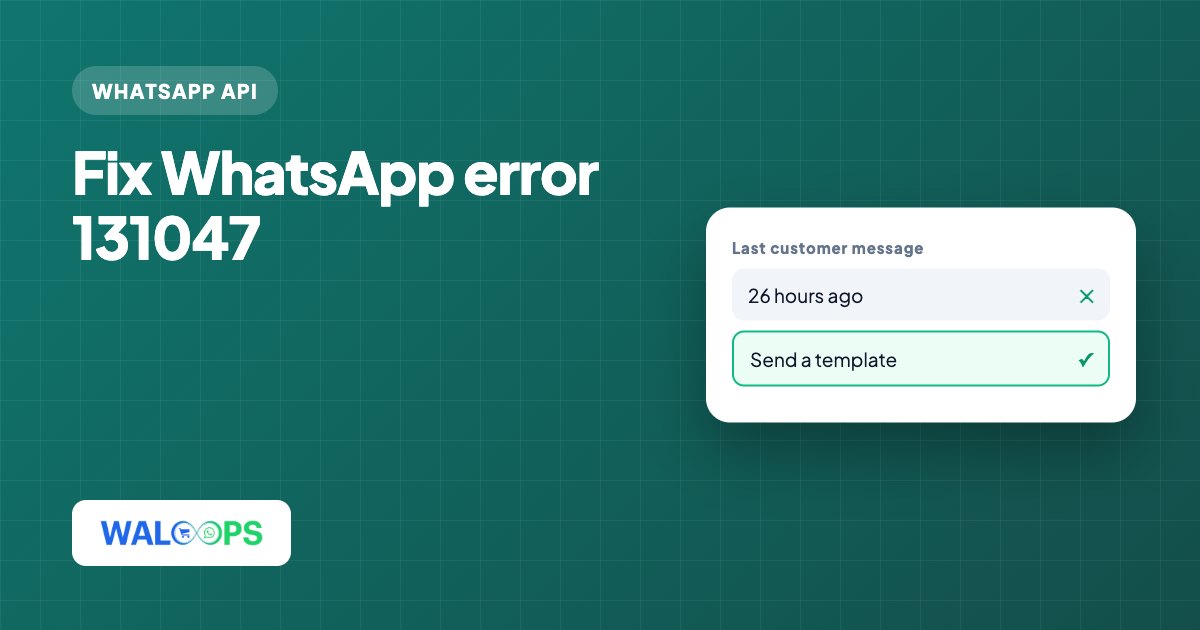
WhatsApp error 131047 means you sent a free-form message more than 24 hours after the customer last messaged you. WhatsApp blocks it because the customer service window has closed; send an approved template instead. When the customer replies to the template, a new 24-hour window opens and you can chat normally again.
What does WhatsApp error 131047 mean?
Error 131047 means a free-form message was sent after the customer's 24-hour window closed. A business can send two kinds of messages on the WhatsApp Business API:
| Message type | When you can send it |
|---|---|
| Free-form (text, images, buttons you type in the moment) | Only within 24 hours of the customer's last message to you |
| Template (pre-approved by Meta) | Any time, as long as the customer has opted in |
The 24 hours start from the customer's most recent message, not from your last message to them. Meta's own description for the code is that more than 24 hours have passed since the recipient last replied to the sender number.
How do I fix WhatsApp error 131047?
Send an approved template after the 24-hour window closes; free-form messages fail.
- Check when the customer last wrote to you. If it was more than 24 hours ago, free-form messages will fail with 131047 every time. Retrying won't help.
- Send a template instead. Pick an approved template that fits the situation, for example an order update, a booking reminder or a short "we have an answer to your question" message.
- Wait for the reply. When the customer replies to the template, a new 24-hour window opens and free-form messages work again.
- Fix the automation, not just the message. If an automated flow produced the error, change that step to send a template, so it doesn't fail again tomorrow.
Why does WhatsApp return error 131047?
It occurs when a free-form message is sent after the customer's 24-hour window.
- Late replies from the team. A customer asks a question on Friday evening, and someone answers on Monday morning with plain text.
- Delayed automation steps. A flow sends a follow-up 2 days after an order as a plain message instead of a template.
- Re-sending a failed message by hand. Copying the text of an old message and sending it again after the window has closed.
- Bulk messages to old contacts. Messaging a list of past customers with free-form text instead of a marketing or utility template.
How does WALoops handle the 24-hour window?
WALoops checks the 24-hour window before sending a typed reply, so your team sees the problem before the message fails. The WALoops shared inbox does this check; when the window has closed, send one of your approved templates from the same conversation, and the customer's reply reopens the window.
WALoops automations send approved templates, so order confirmations, shipping updates and booking messages go out whether or not the customer has written to you recently. To get your templates approved the first time, see the WhatsApp template approval guide.
How much does it cost to restart a WhatsApp conversation?
Free-form replies inside the 24-hour window have no Meta fee; templates sent outside it are charged according to category. Utility templates (order and booking updates) cost less than marketing ones, and WALoops adds no markup on Meta's fees. The WhatsApp API pricing guide lists the current rates for India.
Which WhatsApp API errors are related to 131047?
Related codes are 131026 (undeliverable) and 132001 (template name or language not approved or nonexistent).
| Code | What it means |
|---|---|
| 131047 | Free-form message outside the 24-hour window. Send a template. |
| 131026 | Message undeliverable, usually because the number isn't on WhatsApp or the app is out of date. |
| 132001 | The template name or language you sent doesn't exist or isn't approved. |