WhatsApp OTP vs SMS OTP for Indian Websites: Cost, Delivery and Setup
Should your login or checkout OTP go by WhatsApp or SMS? A practical comparison of setup, DLT registration, cost and delivery for Indian websites and stores.
 WALoops team
calendar_month
schedule3 min read
WALoops team
calendar_month
schedule3 min read
In this guide
- SMS OTP reaches every phone, but in India it needs DLT registration of your business, sender ID and message templates before the first message goes out.
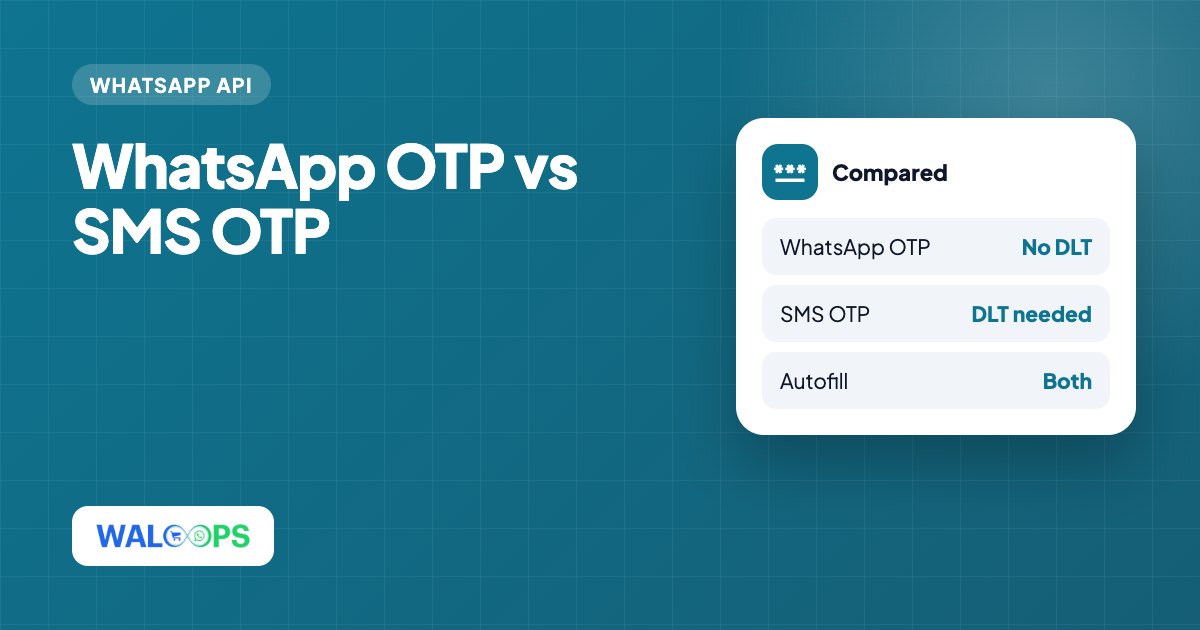
- WhatsApp OTP needs no DLT registration, shows your brand name, supports one-tap autofill on Android and costs ₹0.115 per OTP on Meta's rate in India.
- The best setup for most Indian sites: WhatsApp first, with SMS or email as a fallback for the few users without WhatsApp.
Phone OTPs are the standard way to log in, sign up and confirm COD orders in India. For years that meant SMS. Now more websites send OTPs on WhatsApp instead. Here's how the two compare on the things that matter when you build it.
Side by side
| SMS OTP | WhatsApp OTP | |
|---|---|---|
| Setup in India | DLT registration of the business, sender ID (header) and each template with an operator portal | A WhatsApp Business API number and an approved authentication template, or a provider's ready number |
| Who it reaches | Every mobile phone, no internet needed | Phones with WhatsApp and a data connection |
| Sender shown | A 6-character header like VM-WALOOP | Your business display name and logo |
| Autofill | Android SMS autofill if the app or site supports it | Copy-code button, or one-tap autofill on Android apps |
| Delivery status | Delivered, depending on operator reports | Sent, delivered and read |
| Cost (India) | Varies by SMS provider and volume, plus DLT fees | ₹0.115 per OTP on Meta's rate, before GST |
SMS OTP in India: the DLT step
Since TRAI's rules on commercial SMS, every business sending SMS in India must register on a DLT (Distributed Ledger Technology) platform run by the telecom operators. Before your first OTP goes out you have to:
- Register your business as a principal entity, with business documents.
- Register a sender ID (the 6-character header).
- Register each message template word for word, with the variable parts marked.
- Link it all with your SMS provider, so messages that don't match a registered template aren't blocked.
This usually takes a few days and involves registration fees. Any wording change means registering the template again. It's routine for large companies, but a real hurdle for a small store or a new WordPress site.
WhatsApp OTP: how it works
WhatsApp OTPs use Meta's authentication template category. The format is fixed: the code, an optional "do not share this code" line and an optional expiry time, with a copy-code button. Because the format is standard, approval is quick and the messages are among the cheapest on WhatsApp: ₹0.115 each in India on Meta's rate.
The message arrives from your business name, not an unknown header, which helps users trust it. Many people keep WhatsApp open, so they see the code quickly.
Where WhatsApp OTP falls short
- No WhatsApp, no OTP. A small share of users don't have WhatsApp on the number they enter, or have no data at that moment.
- Wrong number format. WhatsApp needs the full number with country code. A form that doesn't add +91 will fail silently.
- Template rules. You can't add links or promotional text to an authentication template.
The fix is a fallback: if WhatsApp delivery fails, or after 30 seconds, offer "Send by SMS instead" or email.
Which should you use?
| Your situation | Use |
|---|---|
| Indian e-commerce store or WordPress site, starting fresh | WhatsApp OTP, with email or SMS fallback |
| Rural or feature-phone audience | SMS first |
| Bank, fintech or anything under strict regulation | Both, following your compliance team's rules |
| Already have DLT set up and SMS works well | Keep SMS, add WhatsApp as an option to test |
OTP at checkout: an extra benefit for COD stores
Verifying the phone number at checkout does more than log people in. It proves the number is real before a COD order exists, which removes most fake orders, and gives you a verified WhatsApp number for order updates and COD confirmation. See our guide to reducing COD RTO.
Adding WhatsApp OTP to your site
- WordPress and WooCommerce: the free WALoops OTP Login plugin adds WhatsApp OTP login and registration, with 100 free OTPs a month sent from our WhatsApp number, so there's no Meta setup. Paid plans add more OTPs, your own number and WooCommerce checkout. For WooCommerce order updates on WhatsApp too, see the WooCommerce WhatsApp integration.
- Shopify: the WALoops COD checkout includes WhatsApp OTP on the free plan.
- Your own app: the WALoops WhatsApp OTP API sends and verifies codes with two REST calls, free for 100 OTPs a month.