How to Add WhatsApp to Shopify: Chat Button, Order Messages and the API
Three ways to connect WhatsApp to a Shopify store: a free chat button (with code to paste), automatic order messages on the WhatsApp Business API, and marketing platforms. What each costs and when to use it.
 WALoops team
calendar_month
schedule5 min read
WALoops team
calendar_month
schedule5 min read
In this guide
- "Adding WhatsApp to Shopify" means one of three things: a chat button shoppers tap, automatic order messages from your store, or a full WhatsApp marketing platform.
- A chat button is free and takes 5 minutes with the code below. It can't send anything on its own.
- Automatic order updates, COD confirmation and cart reminders need the official WhatsApp Business API, which you get through an app.
- The WALoops Shopify WhatsApp integration does the order messages on a free plan, with no Meta setup to start.
Shopify has no WhatsApp setting. Its themes don't include a WhatsApp icon, and its order notifications are emails. So "how do I add WhatsApp to my Shopify store?" has a different answer depending on what you want WhatsApp to do. This guide covers all three, starting with the free one.
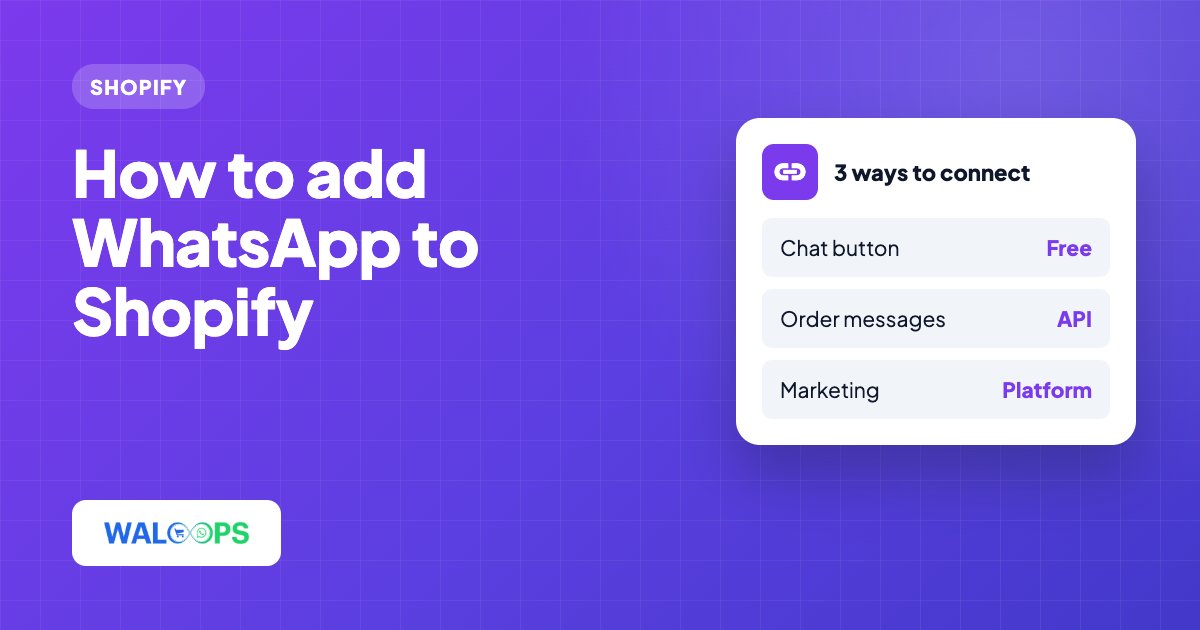
Three ways to connect WhatsApp to Shopify
| Chat button | Order messages (API) | Marketing platform | |
|---|---|---|---|
| What it does | Opens a WhatsApp chat with you when a shopper taps it | Sends order confirmation, shipping, COD confirmation and cart reminders automatically | Broadcasts, chatbots, team inbox, plus order messages |
| Who starts the chat | The shopper | Your store | Both |
| Needs WhatsApp Business API | No | Yes | Yes |
| Typical cost | Free | Free plan to about $10/month, plus Meta's rate per message | $40 to $80+/month, plus Meta's rate |
| Set up with | Theme code or a button app | A Shopify WhatsApp app | A WhatsApp platform's Shopify app |
Most Indian stores want the first two: a button for questions before buying, and automatic messages after the order. Start there and add a marketing platform once you have a list of customers worth broadcasting to.
Option 1: Add a WhatsApp chat button to Shopify (free)
A chat button is a link to wa.me/ followed by your number. When a shopper taps it, WhatsApp opens with your chat and an optional message already typed. You can add one without any app.
Step by step, no code editor needed
- In Shopify admin go to Online Store → Themes and click Customize on your live theme.
- In the left sidebar, find the Footer group and click Add section → Custom Liquid. A section in the footer group shows on every page.
- Paste the code below into the Liquid box. Replace
919876543210with your number: country code first, no + sign, no spaces. - Click Save, then open your store on your phone and tap the button to test it.
<a href="https://wa.me/919876543210?text=Hi!%20I%20have%20a%20question%20about%20a%20product"
   class="wa-float" target="_blank" rel="noopener" aria-label="Chat with us on WhatsApp">
  <svg viewBox="0 0 24 24" aria-hidden="true">
    <path d="M12 2C6.5 2 2 6.1 2 11.2c0 2.6 1.2 5 3.1 6.7L4 22l4.4-2.2c1.1.3 2.3.5 3.6.5 5.5 0 10-4.1 10-9.1S17.5 2 12 2z"/>
  </svg>
</a>
<style>
  .wa-float { position: fixed; right: 20px; bottom: 20px; z-index: 999;
    width: 56px; height: 56px; border-radius: 50%; background: #25D366;
    display: flex; align-items: center; justify-content: center;
    box-shadow: 0 4px 12px rgba(0,0,0,.25); }
  .wa-float svg { width: 28px; height: 28px; fill: #fff; }
</style>
The text after ?text= is the message typed for the shopper; spaces are written as %20. If your theme has no Footer group or Custom Liquid section (older, non-2.0 themes), paste the same code in Edit code → layout/theme.liquid, just above </body>.
Which number should the button use?
Use a number someone actually answers. If you later move that number to the WhatsApp Business API (option 2), you reply from a web inbox instead of the WhatsApp app, and the button keeps working. With WALoops on the Premium plan, the app can add the support button for you and the chats land in the same inbox as your order messages.
Option 2: Send automatic WhatsApp order messages
This is what most people mean by "Shopify WhatsApp integration": your store messages the customer by itself when something happens to their order. It needs the official WhatsApp Business API, because only the API can send messages without someone pressing send, and Meta approves each message as a template first.
With the WALoops app the setup is:
- Install WALoops COD Checkout & Sales from the Shopify App Store.
- Open WALoops → WhatsApp in your Shopify admin and switch on the messages you want. They're already written and approved, and they go out from the WALoops number with your store's logo, 100 free on the Free plan.
- When you're ready, upgrade to Starter ($9.99 a month) and connect your own number from the same page. WALoops gets the messages approved on your number and switches over by itself.
What each plan sends:
| Message | Plan |
|---|---|
| Order confirmation (prepaid) | Free |
| Order shipped, with tracking number | Free |
| Order delivered | Free |
| Review request, 2 days after delivery | Free |
| COD confirmation with Confirm / Cancel buttons | Starter |
| Abandoned cart reminder | Starter (up to 3 on Premium) |
| COD to prepaid offer | Starter |
The details of each message, with examples, are in the Shopify WhatsApp order confirmation guide. Cart reminders have their own guide: Shopify abandoned cart recovery on WhatsApp.
Option 3: A WhatsApp marketing platform
Platforms such as WATI, Interakt, AiSensy, Zoko and WALoops add broadcasts to customer segments, chatbot flows, AI replies and a shared team inbox on top of order messages. They make sense once you have a customer list and someone to answer chats. They cost more, and promotional broadcasts are marketing messages, which Meta charges much more for than order updates. Our comparison of the best Shopify WhatsApp apps lists prices, and the WALoops comparison pages go plan by plan.
What about Shopify's WhatsApp catalog and Meta's own app?
Meta publishes a free WhatsApp app on the Shopify App Store that sends order updates from your own WhatsApp Business account. It's a reasonable choice if you already have a verified WhatsApp Business API number and only need order updates. It doesn't send from a shared number, so you set up Meta's side first.
Showing your products inside WhatsApp (a WhatsApp catalog) is a separate thing: it's done through Meta Commerce Manager or Shopify's Facebook & Instagram channel, not through a chat button or order messages.
Get opt-in, and keep it honest
WhatsApp's Business Policy requires customers to agree to messages from you. For order updates, a line next to the phone field at checkout, like "We'll send order updates to this number on WhatsApp", is the usual way. Order messages are about ₹0.115 each in India; keep them about the order and send offers only to people who agreed to marketing.