WhatsApp API "Phone Number Already Registered": How to Fix It
Why Meta says your number is already registered, and the fix: coexistence with the Business app, deleting the app account, or leaving another provider.
 WALoops team
calendar_month
schedule3 min read
WALoops team
calendar_month
schedule3 min read
In this guide
- "Phone number already registered" means the number is still in use somewhere else: on the WhatsApp or WhatsApp Business app, or on another API provider.
- If the number is on the WhatsApp Business app, you can usually keep the app and connect the same number to the API through coexistence.
- If it's on the personal WhatsApp app, or you don't want coexistence, delete the WhatsApp account on the phone first, then register the number on the API.
- If it's with another API provider, ask them to release it and turn off two-step verification before you move it.
“Phone number already registered” means your number is still active on the WhatsApp app or with another API provider; it cannot be active in both places at once. If it is on WhatsApp Business, connect through coexistence. If it is on personal WhatsApp or another provider, delete the account or ask the provider to release it first.
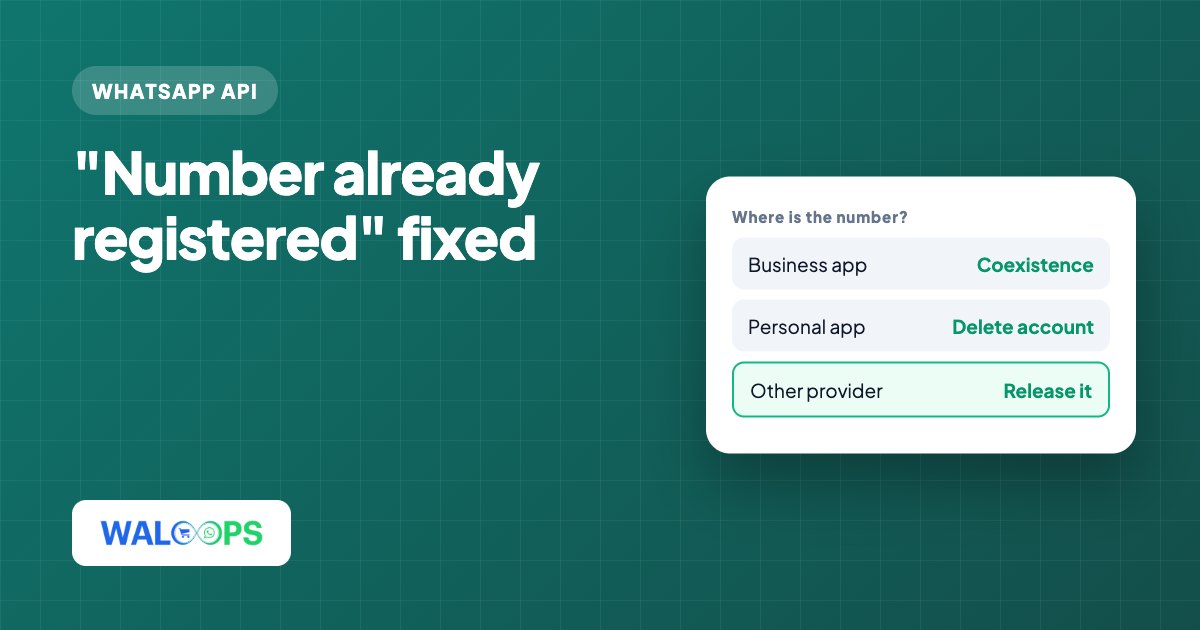
Where is my number registered?
The number is usually registered on WhatsApp Business, personal WhatsApp, or another API provider; check which one before choosing a fix.
| Where it's in use | How to tell | Fix |
|---|---|---|
| WhatsApp Business app | You use the green Business app on a phone with this number | Connect it with coexistence, or delete the app account |
| Personal WhatsApp app | The number is your personal WhatsApp | Delete the WhatsApp account on the phone first |
| Another API provider | The number was set up with a different platform | Ask them to release it, and turn off two-step verification |
Can I keep the WhatsApp Business app with the API?
Meta now lets a WhatsApp Business app number connect to the API without leaving the app. This is called coexistence. You keep chatting on your phone as before, and automations, templates and the shared inbox run through the API on the same number.
- Update the WhatsApp Business app on the phone to the latest version.
- Start the connection from your API platform and choose to connect an existing WhatsApp Business app number.
- Confirm on the phone. The Business app shows a prompt to link the number; approve it there.
- Choose whether to share chat history. Meta asks whether to share recent chats with the platform during the link.
WALoops supports coexistence, so your number can stay on the Business app on your phone while it's connected for automation. If Meta blocks the link with a message about a Business AI agent, see how to fix "Your Business AI agent is already linked".
How do I move my number fully to the API?
To move a number fully to the API, delete its WhatsApp account on the phone first. Use this for a personal WhatsApp number, or if you don't want the app on the number any more.
- Back up anything you need. Deleting the account removes the chat history from that number.
- Delete the WhatsApp account on the phone. In WhatsApp, go to Settings → Account → Delete account and enter the number. Uninstalling the app is not enough; the number stays registered.
- Wait a few minutes, then start the API connection again. The number should now verify by SMS or voice call.
How do I move my number from another API provider?
Ask your current provider to release the number and turn off two-step verification before connecting it to your new platform.
- Ask your current provider to release the number, or delete it from their dashboard yourself.
- Turn off two-step verification on the number. Meta asks for the existing PIN when a number moves, and the old provider holds it.
- Connect the number to your new platform. Approved templates belong to the WhatsApp Business Account they were created in, so plan to resubmit the ones you need.
What should I do after connecting my number?
Once the number is on the API, set up the messages you came for: order confirmations, booking messages, OTPs or support replies. The guide to getting the WhatsApp Business API covers the rest of the setup, including display name review and messaging limits.