WhatsApp Quality Rating Low or Medium? What It Means and How to Fix It
What green, yellow and red WhatsApp quality ratings mean, why they drop, what Meta does when quality is low, and the steps to recover in about a week.
 WALoops team
calendar_month
schedule3 min read
In this guide
- The WhatsApp quality rating is Meta's score for how customers react to your messages over the last 7 days: green (high), yellow (medium) or red (low).
- It drops when people block you, report you as spam, or ignore your messages.
- A low rating stops your messaging limit from growing, and Meta can pause the templates causing it.
- The fix: send less marketing, only to people who opted in, and make every message clearly from your store.
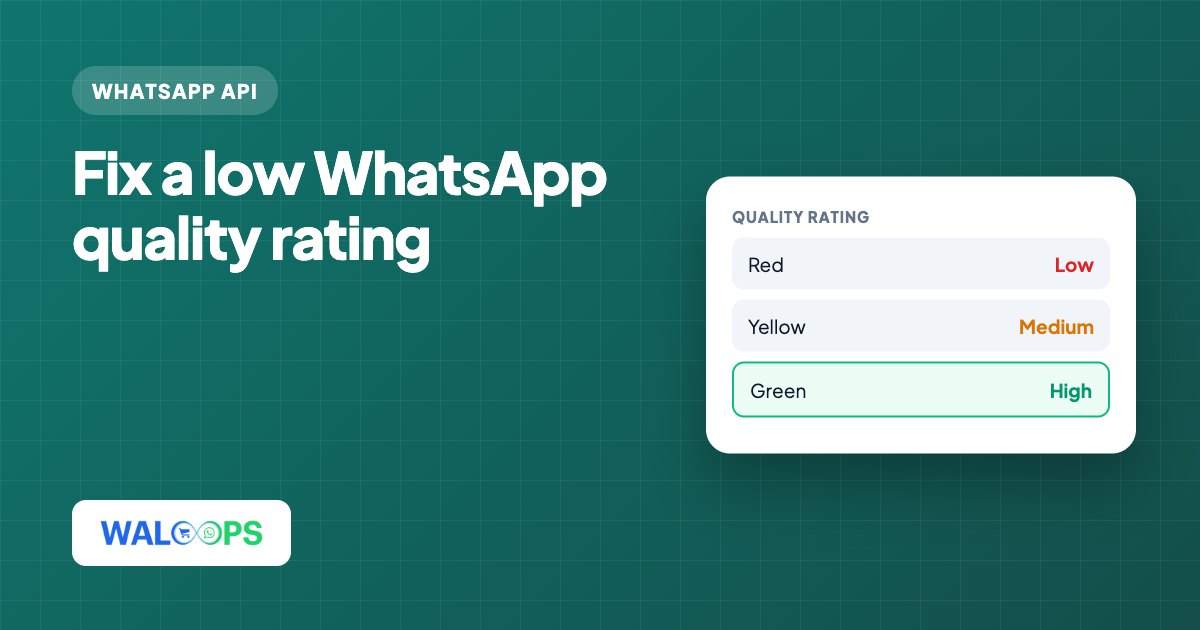
The WhatsApp quality rating shows how customers have received your messages in the past 7 days. Green means high quality, yellow medium, red low. It falls when customers block or report your number. A yellow or red rating stops your messaging limit from rising and can get templates paused, so pause marketing messages and send only expected updates until it recovers.
What is the WhatsApp quality rating?
It is a rating Meta gives each phone number on the WhatsApp Business API, based on customer feedback over the last 7 days. Meta gives more weight to recent days. You find it in WhatsApp Manager under Phone numbers, and in WALoops on the WhatsApp page.
| Rating | Meta shows | WALoops shows | What it means |
|---|---|---|---|
| High | Green | High | Few blocks or reports. Your limit can grow. |
| Medium | Yellow | Medium | Customers have been blocking or reporting messages. Slow down. |
| Low | Red | Low | Many blocks or reports. Meta may lower your limit or pause templates. |
| Not rated | Unknown | Not rated yet | Not enough messages sent yet to rate. |
Why did my WhatsApp quality rating drop?
Because enough customers blocked your number, reported it, or chose a negative reason when they muted it. The common causes in Indian e-commerce:
- Too many offers. A sale message every day to the same list gets blocked fast.
- Old or bought lists. People who bought from you two years ago, or never gave you their number, don't expect to hear from you.
- No clear sender. A message that doesn't say which store it is from looks like spam.
- Irrelevant content. Sending a sale on men's shoes to someone who bought a saree.
- Wrong timing. Marketing late at night gets more blocks.
What happens when the quality rating is low?
Your messaging limit stops growing, and Meta can pause the templates that got poor feedback. A paused template can't be sent. If quality stays low, Meta can disable the template, and the number's limit can be reduced.
See why a WhatsApp template gets paused or disabled.
How do I fix a low WhatsApp quality rating?
Stop sending marketing messages for a few days and keep only the messages customers expect, such as order and delivery updates. The rating is based on the last 7 days, so it recovers as new, better feedback replaces the old.
- Pause campaigns while the rating is yellow or red.
- Find the template that caused it. WhatsApp Manager shows a quality rating per template too.
- Clean the list. Send marketing only to customers who opted in and bought or chatted recently.
- Rewrite the message. Start with your store name and a reason, for example the product they looked at, and add an opt-out button.
- Send less often. One or two offers a week is plenty for most stores.
- Restart slowly with your best customers once the rating is green again.
Does the quality rating affect order updates?
Indirectly. Order confirmations and shipping updates rarely get blocked, because customers want them. But they share the number with your campaigns, so a red rating from a bad campaign also stops the messaging limit growing for your order updates. That is a reason to keep marketing volume modest on the number that sends your orders.
How do I see my quality rating in WALoops?
Open the WhatsApp page in your WALoops dashboard after connecting your own number. The health card reads your rating from Meta and shows it as High, Medium or Low. On Medium it says customers have been blocking or reporting messages and to send fewer marketing messages for a while. On Low it says to pause marketing. The card also shows how many marketing messages Meta held back in the last 7 days (error 131049).
In WALoops broadcast campaigns you choose exactly which customers get a message, so you can target recent buyers instead of the whole list. Plans start at $9.99 a month; see pricing.