WhatsApp Template Paused or Disabled: Why It Happens and What to Do
Meta pauses low-quality templates for 3 hours, then 6, then disables them. What errors 132015 and 132016 mean and how to stop it happening.
 WALoops team
calendar_month
schedule3 min read
In this guide
- Meta pauses a WhatsApp template when customers react badly to it: blocks, spam reports and negative feedback push its quality to low.
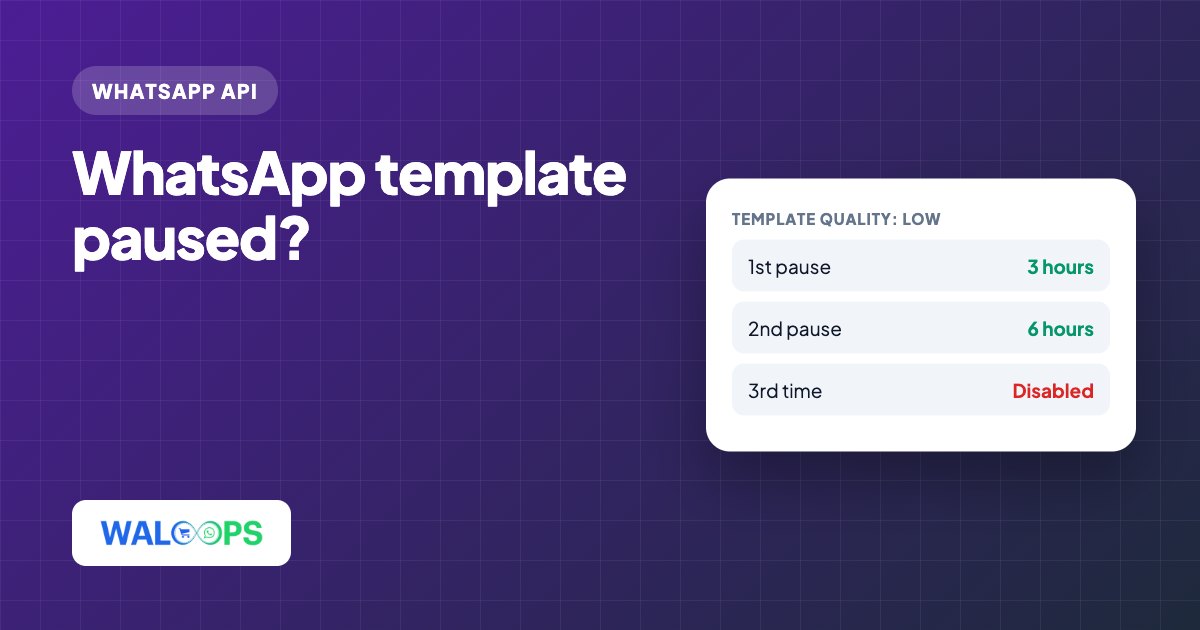
- The first pause lasts 3 hours, the second 6 hours. A third drop disables the template for good.
- Sending a paused template fails with error 132015; a disabled template fails with 132016.
- Fix the message, the audience or the frequency before the pause ends, or create a new template.
Meta pauses a WhatsApp template when its quality rating drops to low because customers block or report it. The first pause lasts 3 hours, the second 6 hours, and a third drop disables the template permanently. While paused, sends fail with error 132015. Stop the campaign using it, fix the content or the audience, and send again only after the pause ends.
Why did Meta pause my WhatsApp template?
Because recent feedback on that template was poor. Meta rates each template, as well as the phone number, on how customers react: blocks, spam reports and negative mute reasons. When a template's rating falls to low, Meta pauses it to protect customers and your number.
It is almost always a marketing template sent to a large or old list. Order updates are rarely paused, because people expect them.
How long does a WhatsApp template pause last?
It depends on how many times the template has been paused.
| Time | What Meta does | Sending |
|---|---|---|
| First low rating | Pauses the template for 3 hours | Fails with 132015, then resumes |
| Second low rating | Pauses it for 6 hours | Fails with 132015, then resumes |
| Third low rating | Disables the template | Fails with 132016 permanently |
Meta notifies the business by email and in WhatsApp Manager when a template is paused or disabled.
What do errors 132015 and 132016 mean?
Error 132015 means the template is paused and can't be sent right now. Error 132016 means it has been paused too many times and is now disabled. A paused template is also locked: you can't edit it on Meta until the pause ends. WALoops shows "This template is currently locked or paused by Meta and cannot be edited" if you try.
What should I do when a template is paused?
Stop whatever is sending it, find out who was blocking it, and change the message or the audience before sending again.
- Stop the campaign or automation that uses the template, so it doesn't fail in bulk when the pause ends.
- Look at who it went to. A list of every past customer, or numbers that never opted in, is the usual cause.
- Check how often. The same offer every day gets blocked.
- Rewrite the content. Say which store it is from in the first line, make the offer relevant, and add a way to stop offers.
- Resend in small batches to recent buyers first, and watch the rating in WhatsApp Manager.
Can I recover a disabled WhatsApp template?
No. A disabled template can't be re-enabled. Create a new one with clearly improved content and submit it for approval. Copying the same text under a new name doesn't solve the problem; if customers block it again, it gets paused the same way.
The template approval guide covers categories, variables and rejection reasons.
Does a paused template hurt my phone number?
It can. The same blocks that pause a template also lower the number's quality rating, and a low number rating stops the messaging limit from growing.
See how to fix a low WhatsApp quality rating.
How do I avoid template pauses in WALoops?
Send marketing templates to a chosen audience, not your whole contact list. In WALoops broadcast campaigns you pick the customers for each send, so you can target recent buyers. The WhatsApp page in your dashboard has a health card that shows the number's quality rating as High, Medium or Low, so you can slow down at Medium before templates get paused. Plans start at $9.99 a month; see pricing.