WooCommerce Checkout Phone Verification with WhatsApp OTP
Make shoppers verify their phone number on WhatsApp before Place Order works. Stops fake COD orders. Block and classic checkout, from $5/month.
 WALoops team
calendar_month
schedule4 min read
In this guide
- WALoops OTP Login 1.7.8 can require a shopper to verify their phone on WhatsApp before placing a WooCommerce order.
- The verification box appears below the checkout Phone field. Place Order stays disabled until the six-digit code is verified.
- The feature works with block checkout and classic shortcode checkout. It is included from the Introduction plan at $5/month.
WooCommerce checkout phone verification with WhatsApp OTP makes a shopper confirm their number before an order can be placed. WALoops OTP Login 1.7.8 adds a checkout setting for this. The shopper receives a six-digit code on WhatsApp, and Place Order stays disabled until the code is checked. It works with block checkout and classic shortcode checkout.
What does checkout phone verification do?
It checks that a shopper can receive a WhatsApp code at the phone number entered during checkout.
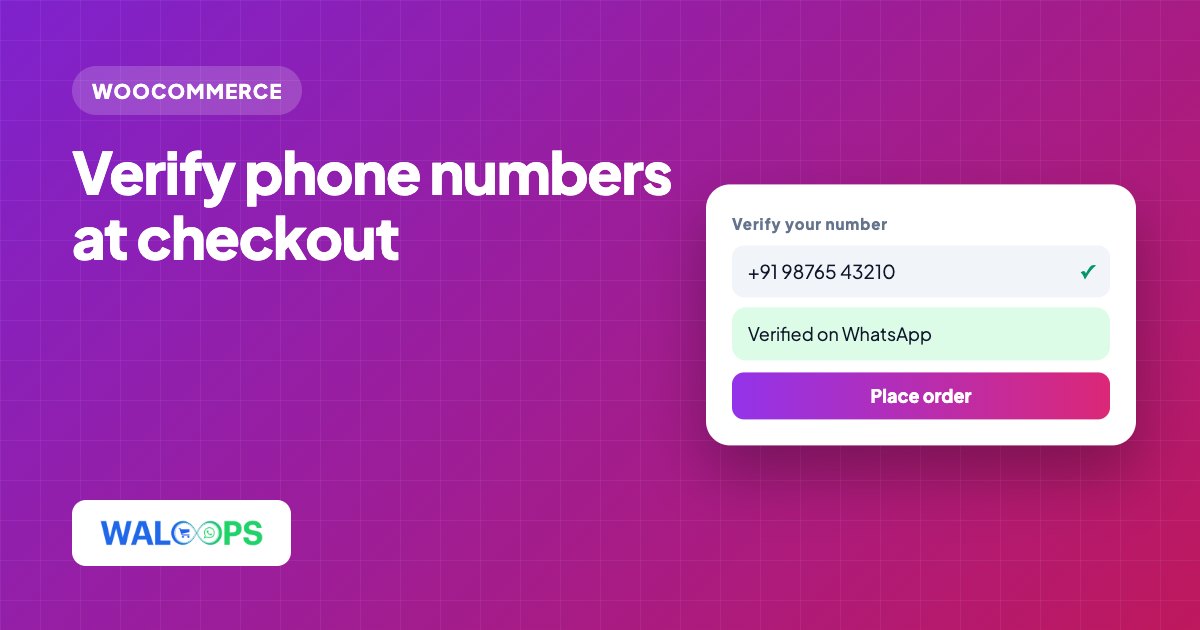
When verification is required, the Phone field becomes mandatory. The plugin places a verification box directly beneath it. The shopper requests a code, enters the six digits, and the code checks automatically. There is no separate confirm button. After a successful check, the box turns green and shows that the number is verified on WhatsApp.
The server also checks verification, so shoppers cannot bypass the checkout box to place an order. WALoops adds an order note: "Phone verified on WhatsApp: +<number>". The billing phone is saved with its country code for later WhatsApp order messages.
Why verify phone numbers at checkout?
Verification helps prevent fake or mistyped phone numbers on cash on delivery orders, which can lead to returns and failed deliveries.
A wrong number can make it hard to reach a COD buyer about delivery. Receiving and entering the code confirms the buyer can access that WhatsApp number, so they can be reached and receive order updates.
This check happens before the order is accepted. It does not change payment or delivery.
How do I turn it on?
Install WALoops OTP Login, connect its free API key, choose the Introduction plan, then enable and test the checkout setting.
- Install or update the plugin. Use WALoops OTP Login version 1.7.8 or later. The plugin is free on WordPress.org.
- Get a free API key. In WordPress, open Settings > WhatsApp OTP Login and get your API key.
- Choose the Introduction plan. Required checkout verification is included with Introduction, which costs $5/month and includes 1,000 OTPs each month.
- Enable checkout verification. In the plugin settings, tick WooCommerce checkout and then tick Require WhatsApp verification before an order is placed.
- Save and test. Save the settings, then open checkout in a private window and try the flow with a number that can receive WhatsApp messages.
What does the shopper see?
The shopper sees a WhatsApp verification box below the Phone field and must verify the number before Place Order is available.
The box says, "We will send a 6-digit code to +91 98765 43210". The shopper clicks Send code on WhatsApp and enters the code they receive. It checks automatically on the sixth digit, with no confirm button. The box turns green and says the number is verified on WhatsApp.
If no code arrives, the shopper can resend after 30 seconds or use the Change number link. Until verified, Place Order stays greyed out with "Verify your phone number on WhatsApp to place the order." The Phone field is required, and the server checks verification.
What about international customers?
The country-code picker starts with the checkout country and lets shoppers select a different code.
The selector starts with the checkout country. A shopper with an Indian checkout sees +91, but can change it to the code for their WhatsApp number before requesting the code.
Can I choose who has to verify?
Yes. Plugin version 1.7.9 adds three options under the same setting.
- Who must verify: all orders, guest shoppers only, or cash on delivery orders only. With cash on delivery only, the box hides when the shopper picks another payment method and Place Order works as normal.
- Skip verified customers: logged-in customers whose number was verified before (at an earlier checkout or by WhatsApp login) are not asked again. The order note says the number was verified earlier.
- Keep selling if WhatsApp is unreachable: if the verification service cannot be reached, the shopper sees a short message and can still place the order. The order gets a note so you can call before shipping. You can turn this off.
Does it work with block checkout?
Yes, required WhatsApp verification works with both the WooCommerce block checkout and the classic shortcode checkout.
Block checkout is the default on new stores and does not need to be replaced. The same box and code flow work in block and classic checkout.
What does it cost?
Required checkout verification is included in the Introduction plan at $5/month, with 1,000 OTPs each month.
Free costs $0 and includes 100 monthly OTPs for login and registration, but checkout verification is locked behind an "Upgrade to Introduction" link. Each code uses one OTP.
Starter Ecommerce costs $9.99/month for unlimited OTPs on your own WhatsApp number. Free and Introduction codes come from the WALoops number, with no Meta developer account needed.
Optional login vs required verification
Login with WhatsApp and required checkout verification are separate features.
The optional Login with WhatsApp card offers sign-in. Required verification checks the Phone field before an order. When verification is required, the login card is hidden, so shoppers see only one WhatsApp box.
For login and registration setup, see the WooCommerce WhatsApp OTP login guide. For the plugin details, visit WALoops OTP Login. To compare code channels, read WhatsApp OTP vs SMS OTP.