Free WooCommerce WhatsApp Plugin: Order Notifications, COD Verification and Cart Recovery
Set up the free WALoops plugin from WordPress.org in five minutes: WhatsApp order notifications, COD Confirm/Cancel buttons and abandoned cart reminders on the official API, with 100 free messages and no Meta developer setup.
 WALoops team
calendar_month
schedule6 min read
WALoops team
calendar_month
schedule6 min read
In this guide
- What the plugin does
- Before you start
- Step 1: Install the plugin from WordPress.org
- Step 2: Click Connect
- Step 3: Place a test order
- Step 4: Check the abandoned cart reminder
- Step 5: Add the chat and Order on WhatsApp buttons (optional)
- What it costs
- Moving to your own WhatsApp number
- If a message doesn't arrive
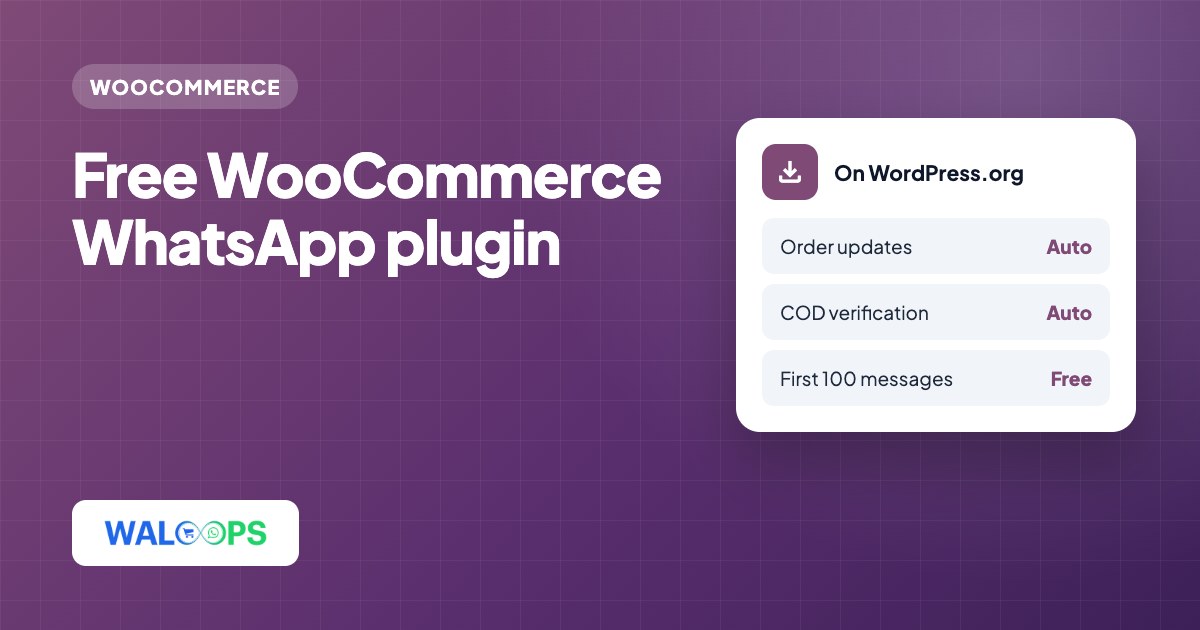
- WALoops Order Notifications is a free plugin on WordPress.org that sends WooCommerce order updates, COD verification and abandoned cart reminders on WhatsApp.
- It uses the official WhatsApp Business API. You don't need a Meta developer account, access tokens or WooCommerce API keys to start.
- The first 100 messages are free from the WALoops number. After that you connect your own number, and WALoops adds no per-message charge on top of Meta's rate (about ₹0.115 per order update in India).
- Setup takes about five minutes: install, click Connect, place a test order.
Most free WhatsApp plugins for WooCommerce add a chat button, and that's all they can do. Sending order messages automatically needs the WhatsApp Business API, and that usually means a Meta developer app, a verified business and a phone number ID before the first message goes out. WALoops Order Notifications skips that part. You install it from the WordPress plugin directory, click Connect, and your store starts sending real WhatsApp order messages straight away. This guide covers what it does, how to set it up, and what it costs once the free messages are used.
What the plugin does
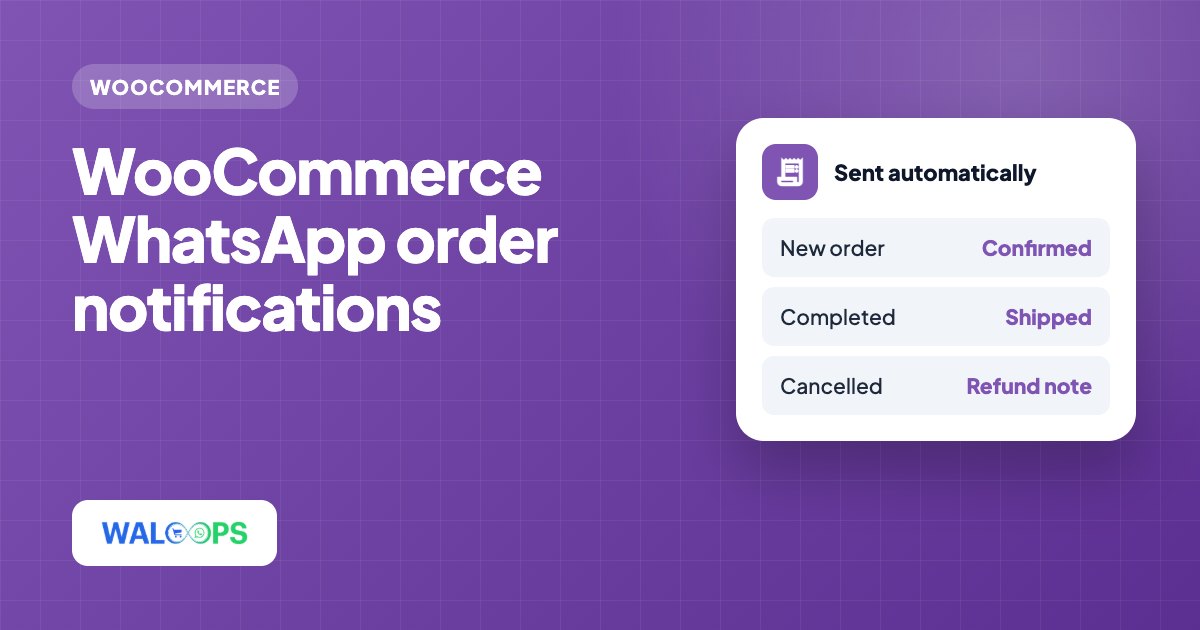
| Feature | When it sends | On by default |
|---|---|---|
| Order confirmation | When an order is placed. Prepaid and Cash on Delivery orders get different messages | Yes |
| COD verification | Every Cash on Delivery order, with Confirm Order and Cancel Order buttons | Yes |
| Order shipped | When the order status changes to Completed, with the tracking number if you use a shipment tracking plugin | Yes |
| Order delivered | When the order reaches a Delivered status (added by a shipping or custom status plugin) | Yes |
| Abandoned cart reminder | 30 minutes after a shopper types their phone number at checkout and leaves (you can change the delay) | Yes |
| Review request | Three days after the order is completed | No |
| Chat button | A floating WhatsApp button on every page. Needs no account | No |
| Order on WhatsApp button | Under Add to cart: opens a chat with the product, options, quantity and price filled in. Needs no account | No |
Each automatic message is an approved WhatsApp template with your product photo or store logo at the top, so it reads like a message from your store rather than a plain text alert.
Before you start
- WordPress 6.0 or newer with WooCommerce active, and PHP 7.4 or newer.
- An email address and a WhatsApp number for your WALoops login. This is only for your account; customers don't see it.
- Nothing else. You don't need WooCommerce REST API keys or webhooks, because the plugin sends orders to WALoops itself.
It works with the classic checkout and the block checkout, with High-Performance Order Storage (HPOS) and with any payment gateway.
Step 1: Install the plugin from WordPress.org
- In your WordPress dashboard go to Plugins → Add New Plugin.
- Search for WALoops. Look for WALoops Order Notifications, COD Verification & Abandoned Cart for WooCommerce.
- Click Install Now, then Activate.
You can also open the plugin page on WordPress.org, download the zip and upload it under Plugins → Add New Plugin → Upload Plugin. Installing from the directory is better, because WordPress will then offer you updates automatically.
Step 2: Click Connect
Go to WooCommerce → WhatsApp. On the Order messages tab, enter your email and WhatsApp number and click Connect for free. Your WALoops account is created in the background and the login is emailed to you.
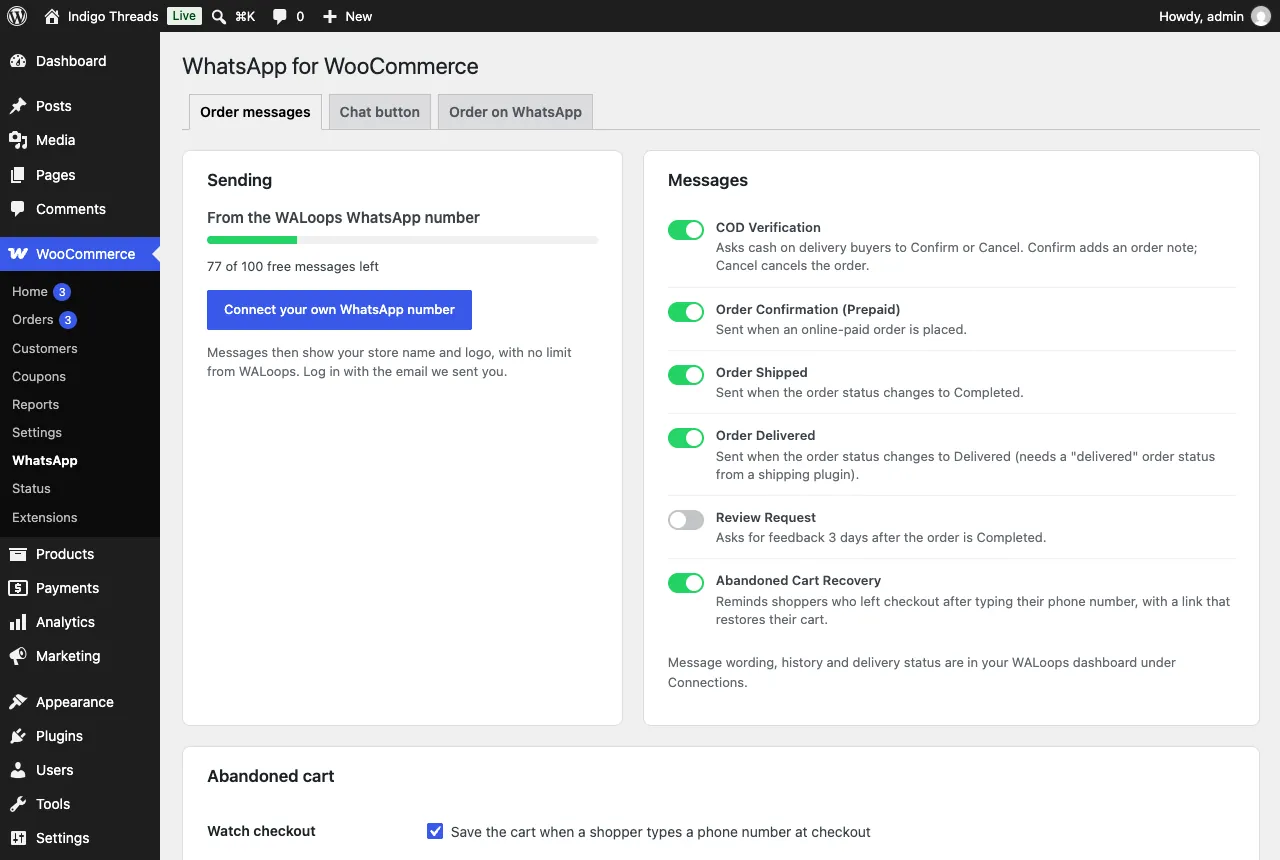
That's the whole setup. Order confirmation, COD verification, shipped, delivered and abandoned cart reminders are on as soon as you connect. Turn off anything you don't want, and switch on the review request if you'd like one.
Step 3: Place a test order
Place an order on your own store with Cash on Delivery and your own WhatsApp number at checkout. Within a few seconds you should get the COD verification message:
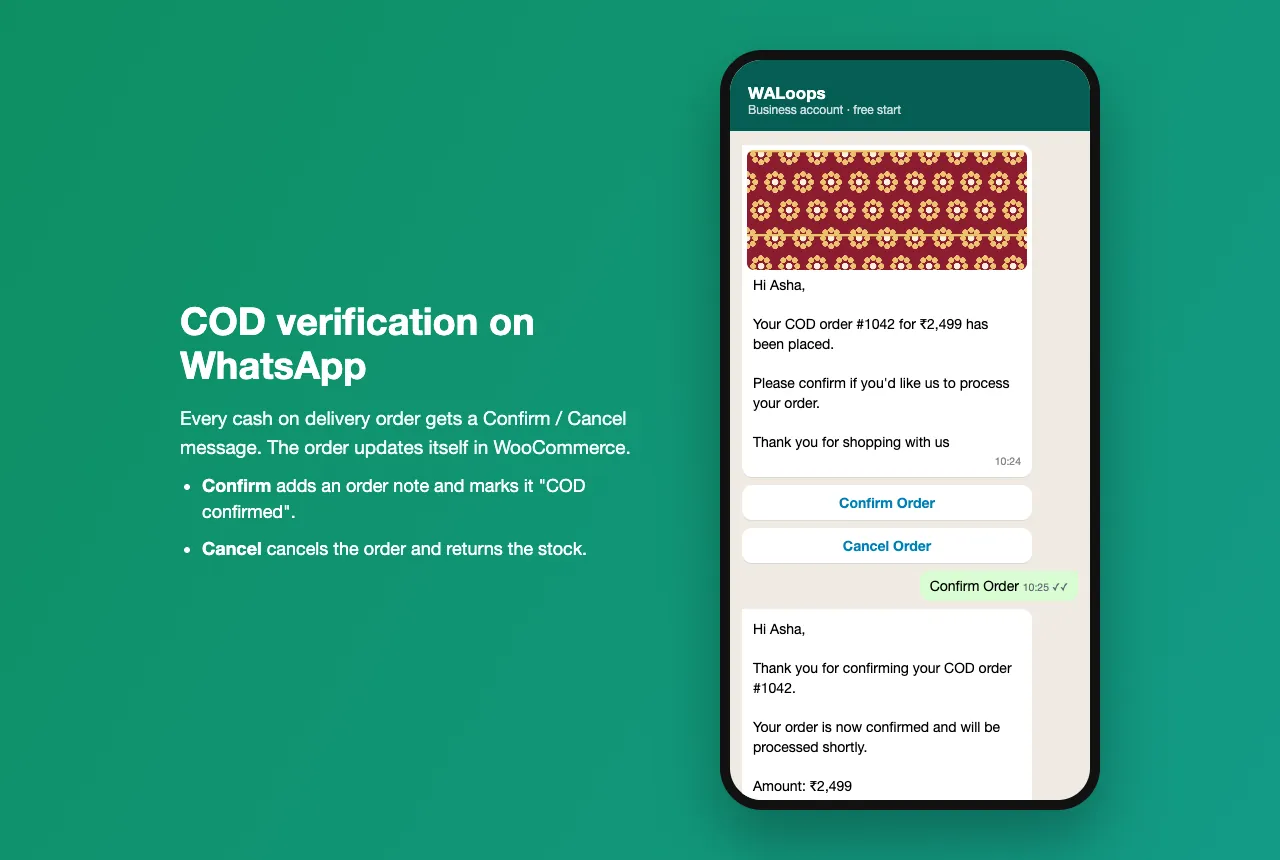
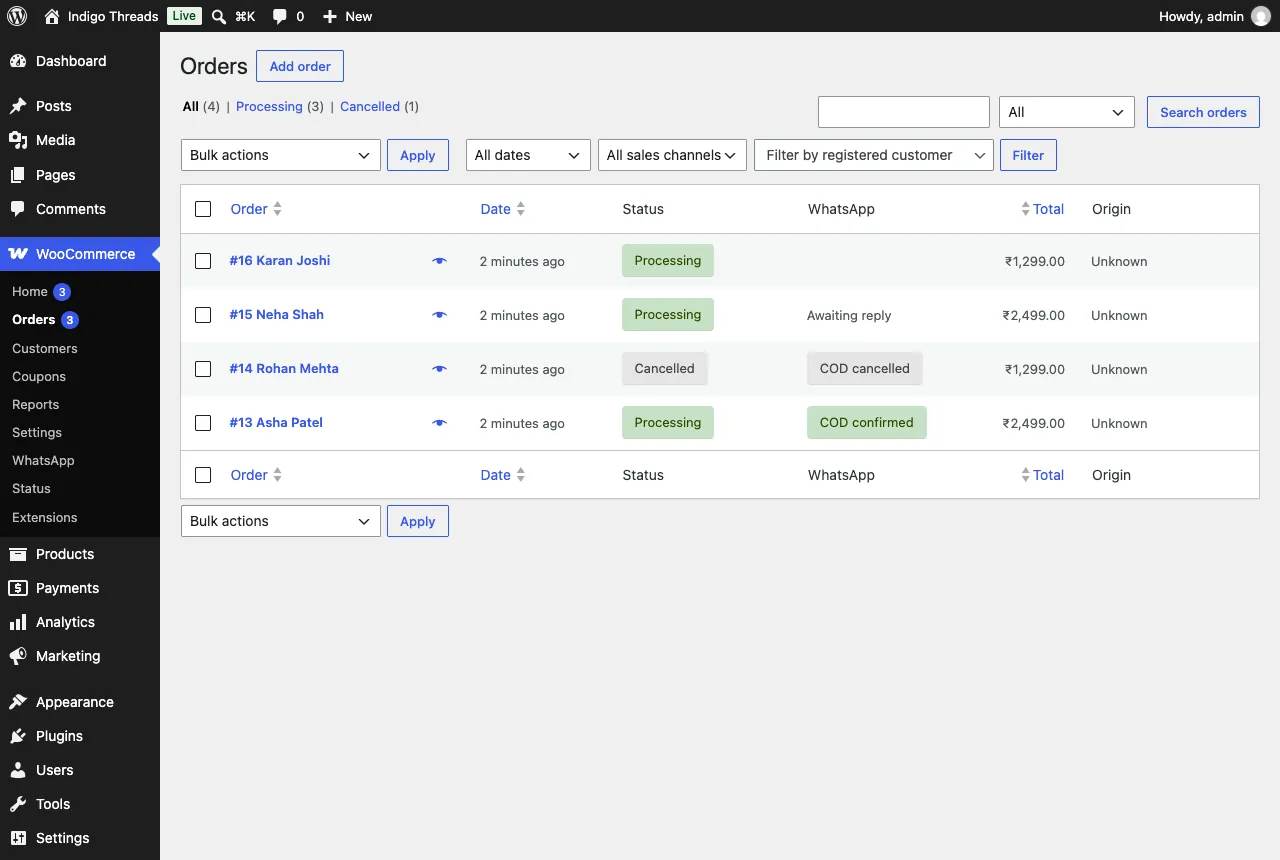
Tap Confirm Order, then open WooCommerce → Orders. The order now has a note and shows COD confirmed in the new WhatsApp column. Place a second test order and tap Cancel Order instead: the order is cancelled in WooCommerce and its stock goes back.
For what to do with buyers who never reply, see the WooCommerce COD verification guide.
Step 4: Check the abandoned cart reminder
Add something to the cart, go to checkout, type your phone number and close the tab without ordering. After the delay (30 minutes by default) you'll get one WhatsApp reminder. Its link rebuilds the cart with any coupons and opens checkout, so the shopper doesn't have to start again. If the order is then placed, it gets an order note saying it came back from a reminder.
WooCommerce has no cart recovery of its own, so this is often the message that pays for the rest. The abandoned cart recovery guide covers timing and wording.
Step 5: Add the chat and Order on WhatsApp buttons (optional)
The Chat button and Order on WhatsApp tabs work even if you never click Connect. They open a normal WhatsApp chat with your number on the shopper's phone, so they cost nothing.
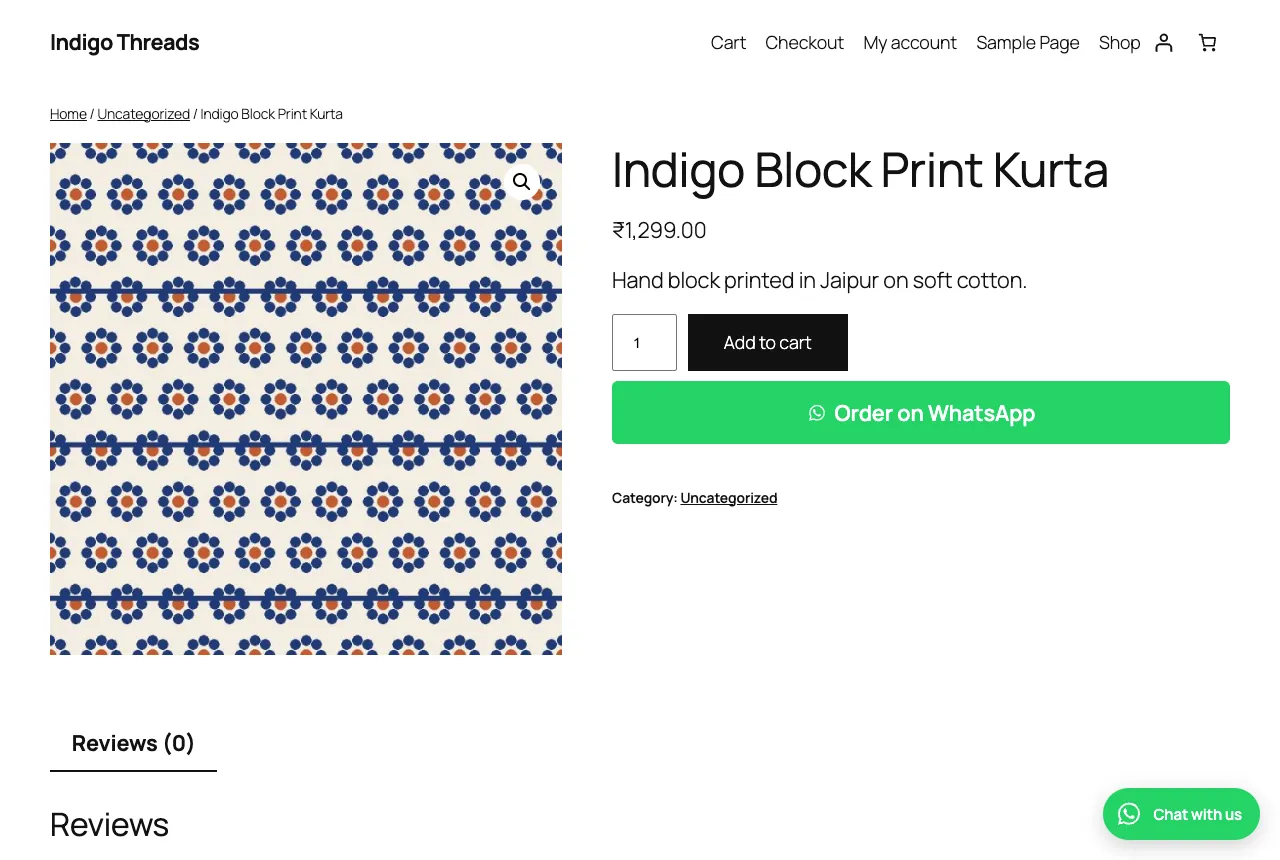
- Chat button: left or right, desktop and mobile, with or without a label, and a message that can include the page the shopper was on.
- Order on WhatsApp: shows under Add to cart, with an optional button on the cart page that sends the whole cart. To place it anywhere else, use the shortcode
[waloops_whatsapp_order id="123"].
If you already use a chat button plugin such as Joinchat, keep it and leave ours off. The order messages work alongside it.
What it costs
| Cost | |
|---|---|
| The plugin | Free |
| First 100 order messages (from the WALoops number) | Free |
| Messages from your own number | No WALoops charge. Meta bills its own rate to your WhatsApp Business account: about ₹0.115 per order update in India |
| Chat button and Order on WhatsApp button | Free, no account |
| Team inbox, broadcasts and chatbots (optional) | Paid WALoops plans from $9.99/month |
As an example, a store with 300 orders a month that sends a confirmation and a shipped update for each order sends about 600 messages. On your own number that's roughly ₹69 a month in Meta charges. The WhatsApp pricing calculator works it out for other countries and volumes.
Moving to your own WhatsApp number
Until you connect your own number, messages come from the WALoops WhatsApp number and show your product photo or logo. Once you connect yours, customers see your business name, and they can reply to you directly.
- Before the free messages run out (order messages pause when they do), click Connect your own WhatsApp number in the plugin.
- Follow Meta's guided sign-up in your WALoops dashboard. You don't need a developer account or any code. A number on the WhatsApp Business app can be connected while you keep using the app.
- WALoops submits the same message templates on your number. Once Meta approves them, sending moves to your number by itself.
Not sure how to connect? Message us on WhatsApp and we'll do it with you.
If a message doesn't arrive
- Check the phone number on the order. It needs the country code. A number missing a digit is accepted by WhatsApp but never delivered.
- Check WooCommerce → Status → Scheduled Actions. Order events are sent through WooCommerce's Action Scheduler and retried if WALoops can't be reached. A pile of pending actions usually means WP-Cron isn't running on your host.
- COD message not sent? Only WooCommerce's built-in Cash on Delivery gateway counts as COD. Orders paid through any other gateway get the prepaid confirmation instead.
- Used all 100 free messages? Order messages pause until you connect your own number, and the plugin settings show a notice saying so.
- Still stuck? Your WALoops dashboard lists every message with its delivery status, so you can see whether it was sent, delivered or failed.
For the full picture of what WALoops does with WooCommerce, including the team inbox and chatbots on paid plans, see the WooCommerce WhatsApp integration. To see how this plugin compares with chat-button plugins and paid platforms, read the best WooCommerce WhatsApp plugins.