WooCommerce COD Verification on WhatsApp: Confirm Orders Before You Ship
Ask every Cash on Delivery buyer to confirm on WhatsApp before you ship. How the flow works on WooCommerce, what to write, what to do when nobody replies, and other ways to cut RTO.
 WALoops team
calendar_month
schedule4 min read
WALoops team
calendar_month
schedule4 min read
In this guide
- A COD parcel that comes back costs you shipping twice and ties up stock for a week or more. Most of these orders could have been caught before dispatch.
- COD verification means asking every Cash on Delivery buyer to tap Confirm or Cancel on WhatsApp before you ship.
- On WooCommerce you can automate the request and the replies through the WooCommerce WhatsApp integration. Each message costs about ₹0.115 in India.
- Ship confirmed orders first, chase unconfirmed ones once, and cancel the rest.
Cash on Delivery is still how a large share of Indian shoppers want to pay, and WooCommerce makes it easy to offer. The problem comes later: buyers who ordered on impulse, typed a wrong address, or just changed their mind refuse the parcel at the door. That's RTO (return to origin), and you pay courier charges both ways for an order that earned nothing. A one-tap confirmation on WhatsApp before you ship filters out most of these orders for less than a rupee each.
How COD verification works
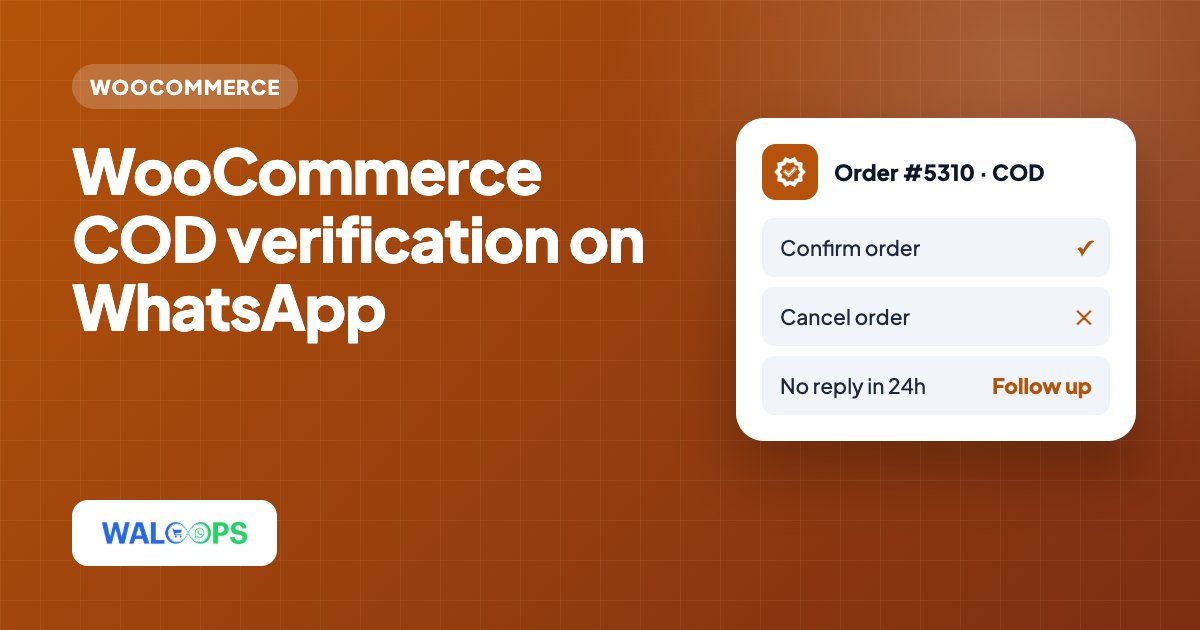
- A shopper places a Cash on Delivery order on your WooCommerce store.
- Within seconds they get a WhatsApp message with the order details and two buttons: Confirm order and Cancel order.
- If they tap Confirm, they get a short thank-you and you ship as normal.
- If they tap Cancel, they get a cancellation note and you cancel the order in WooCommerce before it's packed.
- If they don't reply, you hold the order and follow up once (see below).
Because the buyer replies with a button, you get a clear yes or no instead of having to read free-text answers. And because the message comes from your business number, the buyer can type a question too, like "can I change the address?", which lands in your team inbox.
What to write
Keep it short and make the order easy to recognise. The amount matters: shoppers who placed an order by mistake often notice when they see the total.
The confirmation request
After Confirm
After Cancel
These are all utility templates: they're about one specific order the customer placed. Don't add discounts or other products to them, or Meta may charge them as marketing. The template approval guide explains the rules.
Setting it up on WooCommerce
- Install the free WALoops plugin (setup guide, free on WordPress.org) and click Connect under WooCommerce → WhatsApp.
- Keep COD Verification switched on (it is by default). Every order paid with WooCommerce's Cash on Delivery gateway gets the Confirm / Cancel message; prepaid orders get your normal confirmation instead.
- Let the replies do the work. Confirm adds an order note; Cancel cancels the order in WooCommerce (stock goes back) and sends the buyer a short reply. An order that has already shipped is left alone, with a note for your team.
- Pack from the Orders list. A WhatsApp column shows COD confirmed, COD cancelled or Awaiting reply for each order.
What to do when nobody replies
Some buyers won't reply, and a missing reply doesn't always mean a fake order. A simple routine:
| Time since order | What to do |
|---|---|
| 0 to 12 hours | Wait. Many buyers reply in the evening. |
| 12 to 24 hours | Send one reminder, or call high-value orders. |
| After 24 to 48 hours | Cancel, or ship only if the buyer has ordered and paid before. |
Track your own numbers for a month. If almost every unconfirmed order you ship comes back, cancel sooner. If most get delivered, you can afford to ship them after one reminder.
Other ways to cut COD returns on WooCommerce
COD verification catches bad orders after they're placed. These stop them earlier:
- Verify the phone number at checkout. A WhatsApp OTP at login or checkout means the number is real and belongs to the buyer. The free WALoops Express Checkout plugin and the WALoops OTP Login plugin both do this.
- Make prepaid more attractive. A small prepaid discount or a COD fee moves a share of buyers to online payment. Six ways to convert COD to prepaid covers the maths.
- Limit COD where it fails. Turn COD off above a certain order value, or for PIN codes where returns are high.
- Remind before delivery. A "your order arrives tomorrow, please keep ₹2,349 ready" message reduces "not available" refusals.
The 8 fixes for COD RTO guide is written for Shopify, but every fix in it applies to WooCommerce too.
What it costs
A verified COD order uses two utility messages: the request and the reply. That's about ₹0.23 per order in India at Meta's rate, which WALoops passes on without markup. If one returned parcel costs you ₹150 in shipping both ways, stopping a single bad order pays for verifying several hundred good ones.