Lodgify WhatsApp Integration: Automatic Booking Confirmations
Connect Lodgify to WhatsApp in 10 minutes to confirm every direct and OTA booking from your own number, with different messages for direct guests.
 WALoops team
calendar_month
schedule3 min read
WALoops team
calendar_month
schedule3 min read
In this guide
- Lodgify doesn't send WhatsApp messages from your business number by itself. You connect it to a WhatsApp Business API platform with your Lodgify API key.
- Setup takes about 10 minutes: paste the key into WALoops and click Activate. WALoops registers the Lodgify webhooks for you.
- Every new or changed booking, direct or from Airbnb and Booking.com, can send the guest a WhatsApp confirmation with their dates, property and total.
- Direct bookers can get a different message from OTA guests, because the booking channel is a field you can filter on.
Connect Lodgify to WhatsApp by adding your Lodgify API key in WALoops and clicking Activate; WALoops then registers the booking webhooks for you. Create an automation for new or changed bookings, map guest and stay details into an approved WhatsApp template, and test it using your own phone number.
What do I need to connect Lodgify to WhatsApp?
You need a Lodgify API key, a WhatsApp Business API number, and a WALoops account on a plan with automation apps.
- A Lodgify API key. In Lodgify, go to Settings → Public API. If there's no key yet, request access there.
- A WhatsApp number on the WhatsApp Business API. New or existing; the WhatsApp Business API guide covers both.
- A WALoops account on a plan with automation apps. Every plan has a 7-day free trial.
How do I connect Lodgify to WhatsApp?
Connect Lodgify by adding your API key in WALoops, activating the integration, and creating an automation with an approved WhatsApp template.
- Copy your Lodgify API key from Settings → Public API.
- Paste it into WALoops under Automation → Apps → Lodgify and save.
- Click Activate. WALoops registers Lodgify's webhooks for new and changed bookings on your account, so there's nothing to paste into Lodgify.
- Create an automation. Choose Lodgify as the trigger, pick the booking event, and choose WhatsApp as the action with an approved template.
- Map the fields from the booking into the template: guest name, property, check-in, check-out, nights and total.
- Test it with a booking that uses your own phone number.
WALoops listens to both of Lodgify's events, "new booking" and "booking changed". If a new-booking event is ever missed, the change event still reaches you, so guests don't silently go without a confirmation.
Which Lodgify details can I use in messages?
You can use guest contact details, booking information, and property details in your WhatsApp messages.
| Group | Fields |
|---|---|
| Guest | Name, phone, email |
| Booking | Status, check-in, check-out, nights, guests, total and currency, booking channel |
| Property | Property name, address, city |
Can I send different messages for direct and OTA bookings?
Yes. Use the booking channel to run separate automations for direct and OTA bookings.
| Condition | Message idea |
|---|---|
| Channel is Direct | Thank them for booking direct and save your number for next time |
| Channel is Airbnb or Booking.com | A plain confirmation with dates and property |
| Status is cancelled | Cancellation notice, with a line to reply if it wasn't expected |
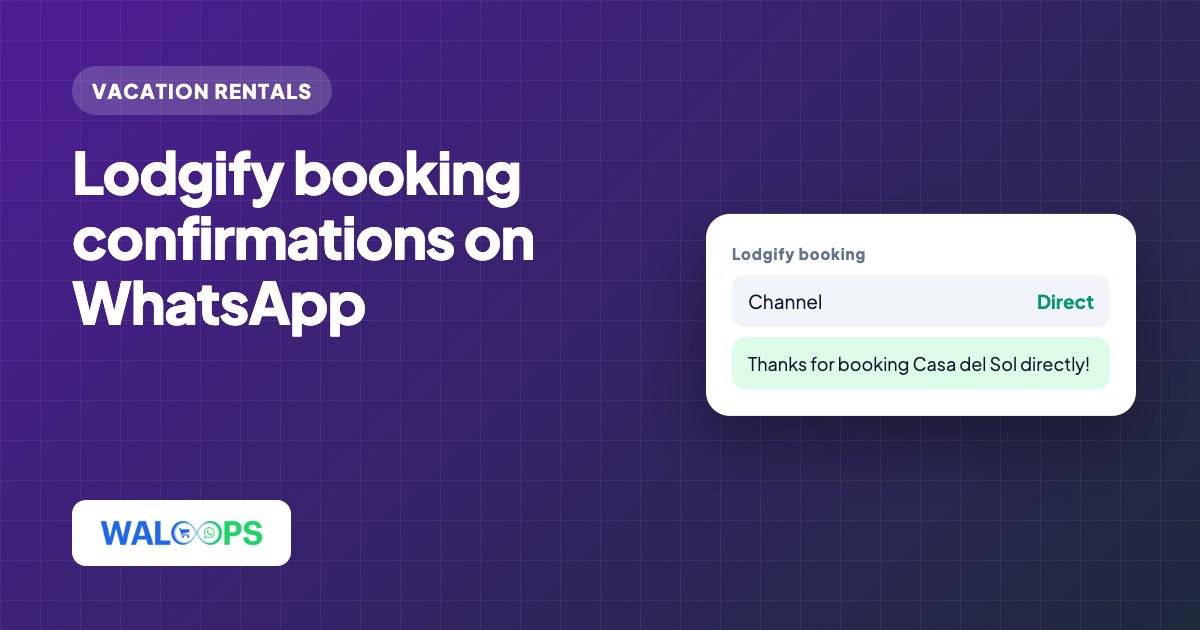
An example confirmation for a direct booking:
Each message has to be approved by Meta as a template first. Confirmations and cancellations are utility templates, the cheaper category; the template approval guide shows how to keep them there.
What can't Lodgify WhatsApp automations do?
Lodgify-triggered automations cannot schedule a message relative to check-in; delays count from when Lodgify reports a new or changed booking. For arrival instructions, keep Lodgify's own scheduled messages and use WhatsApp for confirmations, changes and replies.
Can I reply to guests from one inbox?
Yes. Guest replies arrive in the WALoops shared inbox, so a partner or a cleaner can help answer from the same number. The AI agent can handle routine questions from answers you write once, such as parking, pets or late check-out, and leave the rest to you.
Plans start at $9.99 a month, with no markup on Meta's message fees. For other systems, see the vacation rental WhatsApp guide, and for a summary, the Lodgify WhatsApp integration page.