WhatsApp Display Name Rejected? Meta's Rules and How to Get It Approved
Why Meta declines WhatsApp Business display names, the naming rules with examples, and how to resubmit a name that gets approved in 1-3 days.
 WALoops team
calendar_month
schedule3 min read
In this guide
- What is the WhatsApp display name?
- Why was my WhatsApp display name rejected?
- How do I fix a rejected WhatsApp display name?
- Can I send messages while the display name is rejected?
- Does business verification help the display name get approved?
- How often can I change the display name?
- How can I check display name status in WALoops?
- Meta rejects a WhatsApp display name when it doesn't clearly match the business, for example a brand name that appears nowhere on your website.
- Fix it by making the name match your website, logo or legal name, then submit it again in WhatsApp Manager.
- Review usually takes 1 to 3 days.
- Business verification helps: Meta checks the name against your verified business.
Meta rejects a WhatsApp display name when it can't link the name to your business, or when it breaks the naming rules, such as generic words, extra symbols or the word WhatsApp. To fix it, use the exact brand name shown on your website, check it follows the formatting rules, and submit it again in WhatsApp Manager. Review takes 1 to 3 days.
What is the WhatsApp display name?
It is the business name shown on your WhatsApp profile. Customers who saved your number see their saved name. Others see your number, with the display name in small text. Only an Official Business Account shows the name to everyone. Meta reviews every display name before it is approved.
Why was my WhatsApp display name rejected?
Usually because Meta couldn't find a clear link between the name and your business. The common reasons:
| Reason | Example | Fix |
|---|---|---|
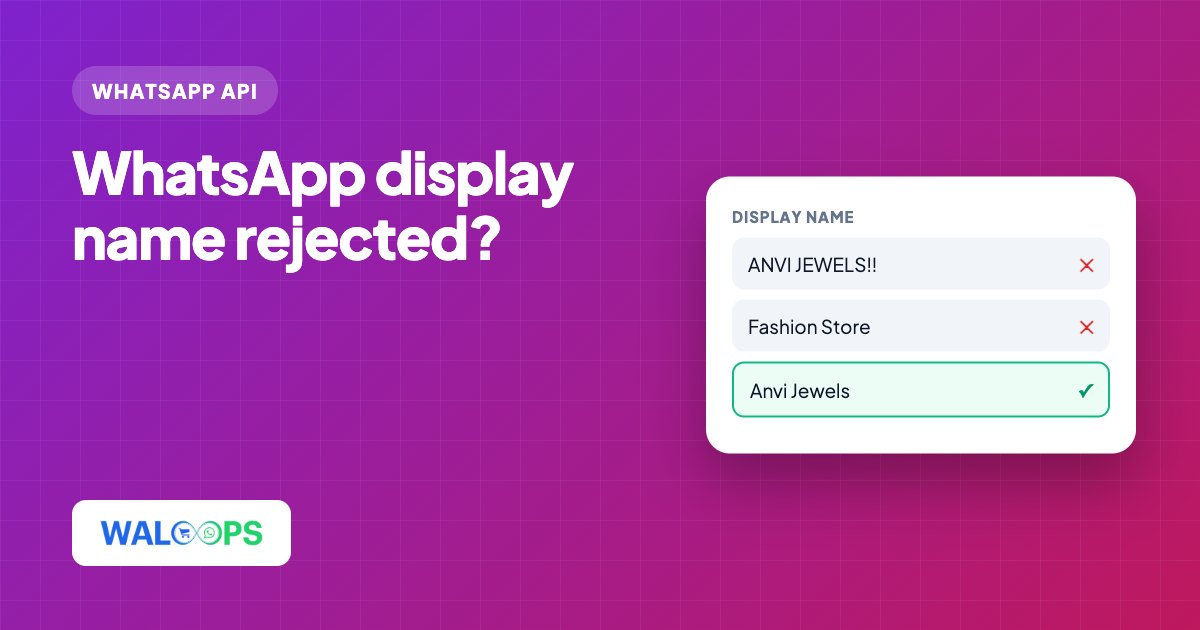
| Name not found on your website | "StyleHub" when the site says "Style Hub Fashions" | Use the name exactly as on your site, or add it to the site header and footer |
| Generic words only | "Fashion Store", "Best Deals" | Use your brand name |
| Extra symbols or emoji | "Anvi Jewels ✨", "ANVI-JEWELS!!" | Plain text, normal capitals |
| All capitals | "ANVI JEWELS" | "Anvi Jewels" (short acronyms are fine) |
| Includes "WhatsApp" or a Meta brand | "Anvi Jewels WhatsApp" | Remove it |
| A person's name only | "Rahul Sharma" | Use the business name |
| Includes a location or slogan | "Anvi Jewels - Best in Surat" | Brand name alone |
How do I fix a rejected WhatsApp display name?
Change the name so it matches your business exactly, then submit it again. It takes a few minutes, and Meta reviews it in 1 to 3 days.
- Check your website. The name should appear on it, ideally in the header, footer and contact page.
- Check your Meta business details. If your business is verified, the name should match the verified name or a brand clearly owned by it.
- Open WhatsApp Manager in Meta Business Suite, go to Phone numbers, select the number and open Profile.
- Edit the display name and submit it for review.
- Wait for the review. You get a notification when it is approved or declined.
Can I send messages while the display name is rejected?
Messages can still go out, but an unapproved name holds the number back. Customers see a name that isn't approved, and the account doesn't move up the messaging limit tiers. Fix the name before you start campaigns.
See how the WhatsApp messaging limit works.
Does business verification help the display name get approved?
Yes. Meta checks the display name against what it knows about your business, and verification gives it your legal name, address and website. Many businesses get a rejected name approved simply by verifying the business first and then submitting the same name again.
If verification itself was rejected, read why Meta rejects business verification.
How often can I change the display name?
You can edit it from WhatsApp Manager, and every change is reviewed again. Avoid changing an approved name unless your brand changed, because the number waits for review each time.
How can I check display name status in WALoops?
Open the WhatsApp page in your WALoops dashboard after connecting your own number. The health card shows the display name status from Meta: Approved, In review, Declined or Not approved yet. When it is declined, the card says to change it to match your business name and links to WhatsApp Manager. If business verification isn't done yet, it says so, because verification is needed first.
New to the API? Start with the guide to getting the WhatsApp Business API. WALoops plans start at $9.99 a month; see pricing.