
WhatsApp Business App vs API for WooCommerce: Which Do You Need?
What the free WhatsApp Business app can and can't do for a WooCommerce store, when you need the API, what each costs and how to use both on one number.
 WALoops team
calendar_month
schedule4 min read
In this guide
- What is the difference between the WhatsApp Business app and the API?
- Can the WhatsApp Business app send WooCommerce order notifications?
- What can the API do for a WooCommerce store?
- How much does each one cost?
- Can I use the WhatsApp Business app and the API on the same number?
- Which should a WooCommerce store choose?
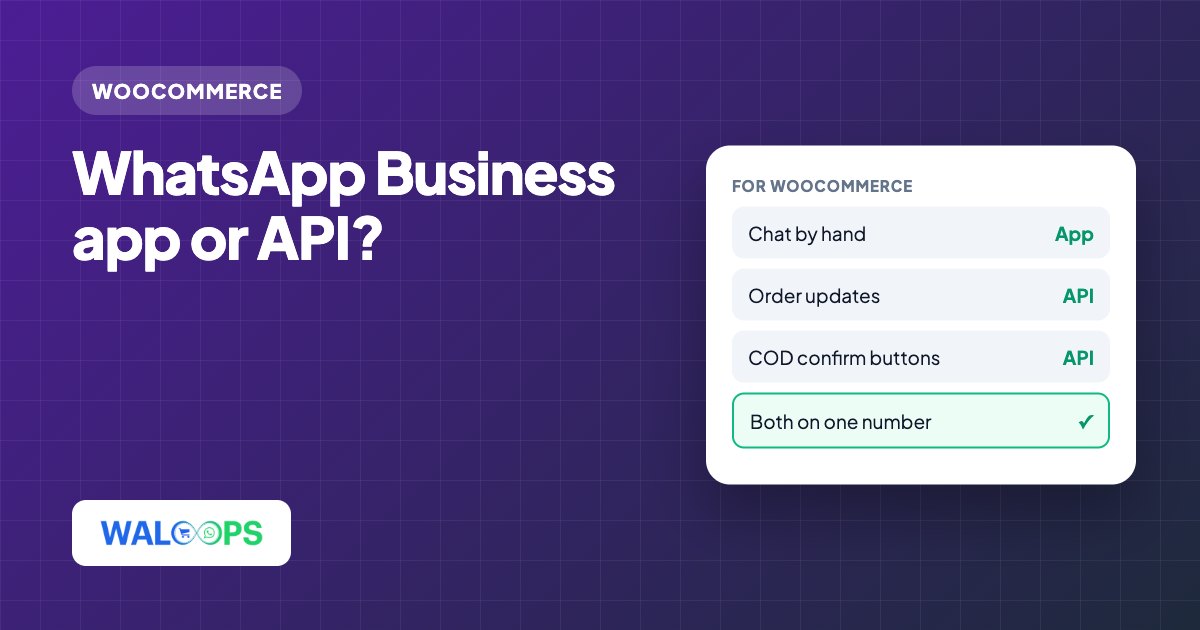
- The WhatsApp Business app is free and good for answering chats by hand. It can't send automatic WooCommerce order messages.
- The WhatsApp Business API sends messages from your store by itself: order confirmations, COD confirmation, shipping updates and cart reminders. Meta charges per message.
- You don't have to choose one forever. With coexistence, one number can stay on the app and be connected to the API at the same time.
- The free WALoops plugin lets a WooCommerce store start on the API without any Meta setup, sending from the WALoops number with 100 free messages.
For a WooCommerce store, the WhatsApp Business app is enough if you only want customers to message you and you reply by hand. You need the WhatsApp Business API as soon as your store should send messages by itself, such as order confirmations, COD confirmation or cart reminders. WALoops connects WooCommerce to the API with a free plugin.
Most store owners in India start with the app on their own phone. It works until orders grow and someone spends an hour a day typing "your order is confirmed". This guide compares the two side by side, shows what each can do for WooCommerce, and explains how to move from one to the other without losing your number.
What is the difference between the WhatsApp Business app and the API?
The app is a phone app you use by hand; the API is a connection your store's software uses to send messages automatically. Both use a business number with a profile, but they do different jobs.
| WhatsApp Business app | WhatsApp Business API | |
|---|---|---|
| How you use it | On your phone and linked devices | Through a platform such as WALoops |
| Automatic order messages | No | Yes, from WooCommerce events |
| Message templates approved by Meta | No | Yes, needed to message customers first |
| Buttons like Confirm / Cancel | No | Yes |
| Broadcasts | To contacts who saved your number | To opted-in customers, with no saved-contact rule |
| Team on one number | A few linked devices | Shared inbox with many users |
| Cost | Free | Meta's per-message rate plus the platform |
Can the WhatsApp Business app send WooCommerce order notifications?
No. The app has no connection to WooCommerce, so every order message has to be typed or pasted by hand. Quick replies and labels make that faster, but someone still has to open each order and send each message.
What the app does well for WooCommerce is chat that the customer starts. A WhatsApp chat button or an Order on WhatsApp button works with the app, because it only opens a chat on the shopper's phone.
What can the API do for a WooCommerce store?
It sends a message the moment an order changes, with the order details filled in, and handles the reply. With WALoops these are the main ones:
- Order confirmations for prepaid and COD orders, and updates when the status changes to completed, cancelled or refunded. See WooCommerce WhatsApp order notifications.
- COD confirmation with Confirm and Cancel buttons. Cancel cancels the order in WooCommerce and restocks it. See COD verification on WhatsApp.
- Abandoned cart reminders to shoppers who typed their phone at checkout and left. See WooCommerce abandoned cart recovery.
- Order alerts to you or your packer on WhatsApp. See sending WooCommerce orders to WhatsApp.
How much does each one cost?
The app is free. On the API, Meta charges per template message and the platform charges its own plan.
| Option | What you pay |
|---|---|
| WhatsApp Business app | Nothing |
| WALoops plugin, WALoops number | First 100 messages free; then top up ($5 = 3,000 credits, an India message uses 10) |
| WALoops Starter, your own number | $9.99 a month, no WALoops per-message charge; Meta bills about ₹0.12 per order update in India before GST |
Order updates are utility messages, Meta's cheaper category. Cart reminders are marketing messages, about ₹0.86 each in India before GST. The WhatsApp Business API pricing guide has the full rate table.
Can I use the WhatsApp Business app and the API on the same number?
Yes, with coexistence. Meta lets you connect a number that's already on the WhatsApp Business app to an API platform and keep using the app on your phone. Chats and contacts stay, automatic messages go out through the API, and you can still reply from the app.
Which should a WooCommerce store choose?
Pick by the number of orders and what you want the messages to do.
- A few orders a day, chat only: the app plus a free chat button is enough.
- You want order confirmations or COD confirmation without Meta setup: install the free WALoops plugin and click Connect. Messages start from the WALoops number with 100 free.
- You want messages from your own brand name: move to Starter and connect your own number, with coexistence if it's already on the app. WALoops gets the same templates approved on your number and switches over by itself.
One limit to know about the WALoops number: messages show the sender name "WALoops", and customers can reply but can't start a new chat with you there. That's the main reason to connect your own number once you're sure WhatsApp works for your store.
For the full setup, see the WooCommerce WhatsApp integration page and how to get the WhatsApp Business API.


