WhatsApp Template Rejected or Stuck in Review? What Actually Stops Your Messages
What blocks WhatsApp order messages and what does not, including business verification, display name approval and payment errors.
 WALoops team
calendar_month
schedule4 min read
In this guide
- How long does WhatsApp template review take?
- Why did Meta reject my order template?
- Do I need business verification for order confirmations?
- Does an unapproved display name stop messages?
- Can a payment problem stop order templates?
- What does each status or error mean for order messages?
- How does WALoops keep order messages going?
- Meta reviews every WhatsApp template. Most order update templates are approved in minutes to a few hours, but review can take up to 24 hours.
- A template in review or rejected cannot send. Business verification and display name approval are not needed for order confirmations.
- Check the template text, payment card and Meta's account or message error.
- WALoops keeps orders going from the WALoops number while Meta reviews templates for your number.
An in-review template cannot send until Meta approves it; rejected templates need a fix and resubmission. Business verification and an unapproved display name do not block order confirmations, but check payment errors too.
How long does WhatsApp template review take?
Meta reviews every template. Most utility order templates are approved in minutes to a few hours, but can take up to 24 hours.
You may see one of these statuses in WhatsApp Manager:
- In review or Pending: Meta has not finished reviewing the template.
- Approved: The template is ready to use.
- Rejected: Meta declined it. Correct the issue and submit again.
- Paused: Meta temporarily stopped a previously approved template after poor customer feedback.
For more detail on template wording and categories, read the WhatsApp template approval guide.
Why did Meta reject my order template?
Meta checks whether the message fits its category and gives customers a clear, truthful message. These are common reasons for rejection:
- A variable appears at the start or end of the text, leaving the message without enough context.
- The message has too many variables compared with the amount of fixed text.
- A utility template includes promotional wording. Meta may recategorise it as marketing, or reject it if the content does not fit the category.
- Sample values are missing for the variables in the template.
- The text is misleading, threatening or unclear about what happened to the order.
- The template name and language duplicate an existing template.
Fix the issue in Meta's rejection reason, then edit and resubmit. Put clear words around each variable, add sample values, and keep promotions out of utility messages. If the name and language duplicate another template, use a new name. A new name alone will not fix wording or category problems.
Do I need business verification for order confirmations?
No. Business verification is not needed to send order updates. It is needed for authentication messages such as OTPs or login codes, and to message more than 250 new customers in 24 hours. A rejected verification does not stop order confirmations.
See what to do when Meta rejects business verification.
Does an unapproved display name stop messages?
No. A display name marked “not approved yet” does not block order messages. Customers who have not saved your number see the number, with the business name in small text. You can send while Meta reviews the name.
If the name was rejected, see how to fix a rejected WhatsApp display name.
Can a payment problem stop order templates?
Meta needs a card on the WhatsApp account for business-initiated templates. Account health error 141006 means check the card and billing details. After adding a card, the flag can take up to 24 hours to clear.
Message error 131042 means Meta refused it due to a payment problem. Fix the card or payment issue in Meta, then retry. Error 141006 is an account health flag; 131042 appears on a message.
Follow the steps in the WhatsApp error 131042 payment guide.
What does each status or error mean for order messages?
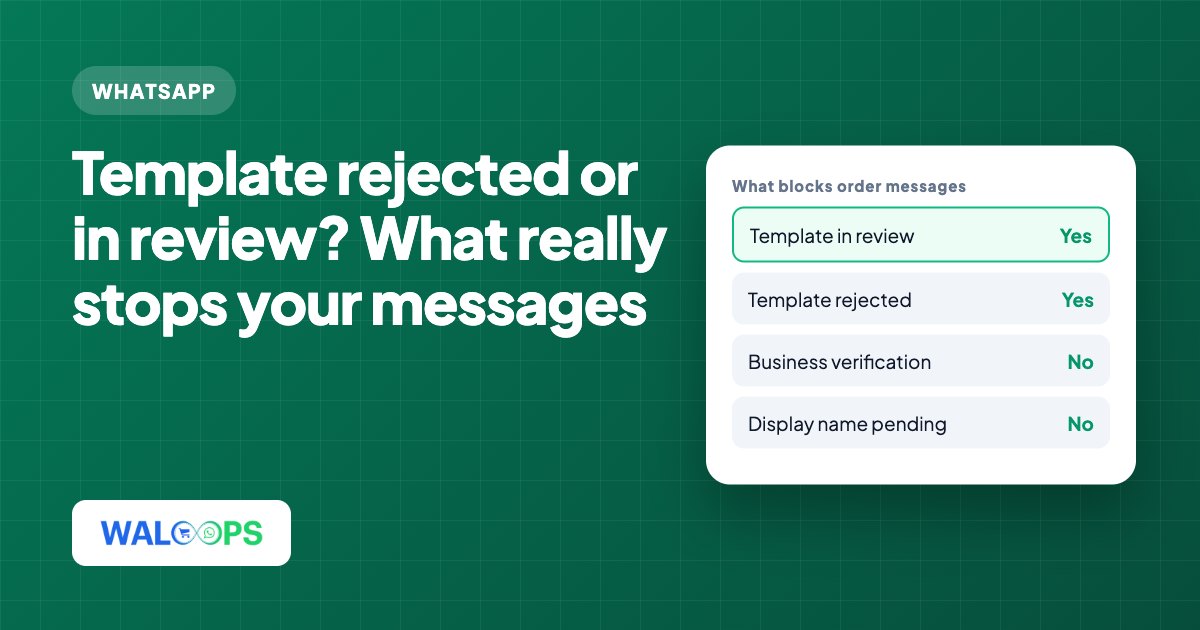
| Thing you see | Does it stop order messages? | What to do |
|---|---|---|
| Template in review | Yes for that template until approved | Wait for Meta to finish its review. |
| Template rejected | Yes for that template | Edit and resubmit it, or use a new name if the name and language duplicate an existing template. |
| Business verification rejected | No, only OTP and above 250 new customers a day | Order confirmations can continue. Fix verification if you need authentication messages or a higher limit. |
| Display name not approved | No | Messages can still send. Customers who have not saved the number see the number and a small-text name. |
| Payment method flag 141006 | Can | Check the card in Billing on the WhatsApp account. Allow up to 24 hours for a new card's flag to clear. |
| Error 131042 | Yes | Fix the card or payment problem with Meta, then retry the message. |
Read about the WhatsApp messaging limit if your issue is reaching new customers rather than sending order updates.
How does WALoops keep order messages going?
When you connect your own number, WALoops submits your order templates. Until Meta approves them, WALoops sends orders from the WALoops number, then switches to your number automatically. No order message is lost.
WhatsApp > Account shows a health check for connection, display name, payment and message limit in Meta's own words.
A paused template is different from one waiting for its first approval. Learn why Meta pauses templates and what to do next.
Plans start at $9.99 a month; see pricing.